

Smadav Antivirus for Windows
Lightweight Windows antivirus focused on USB malware protection and second-layer scanning alongside your primary security software.
Software Information
Smadav Antivirus Screenshots
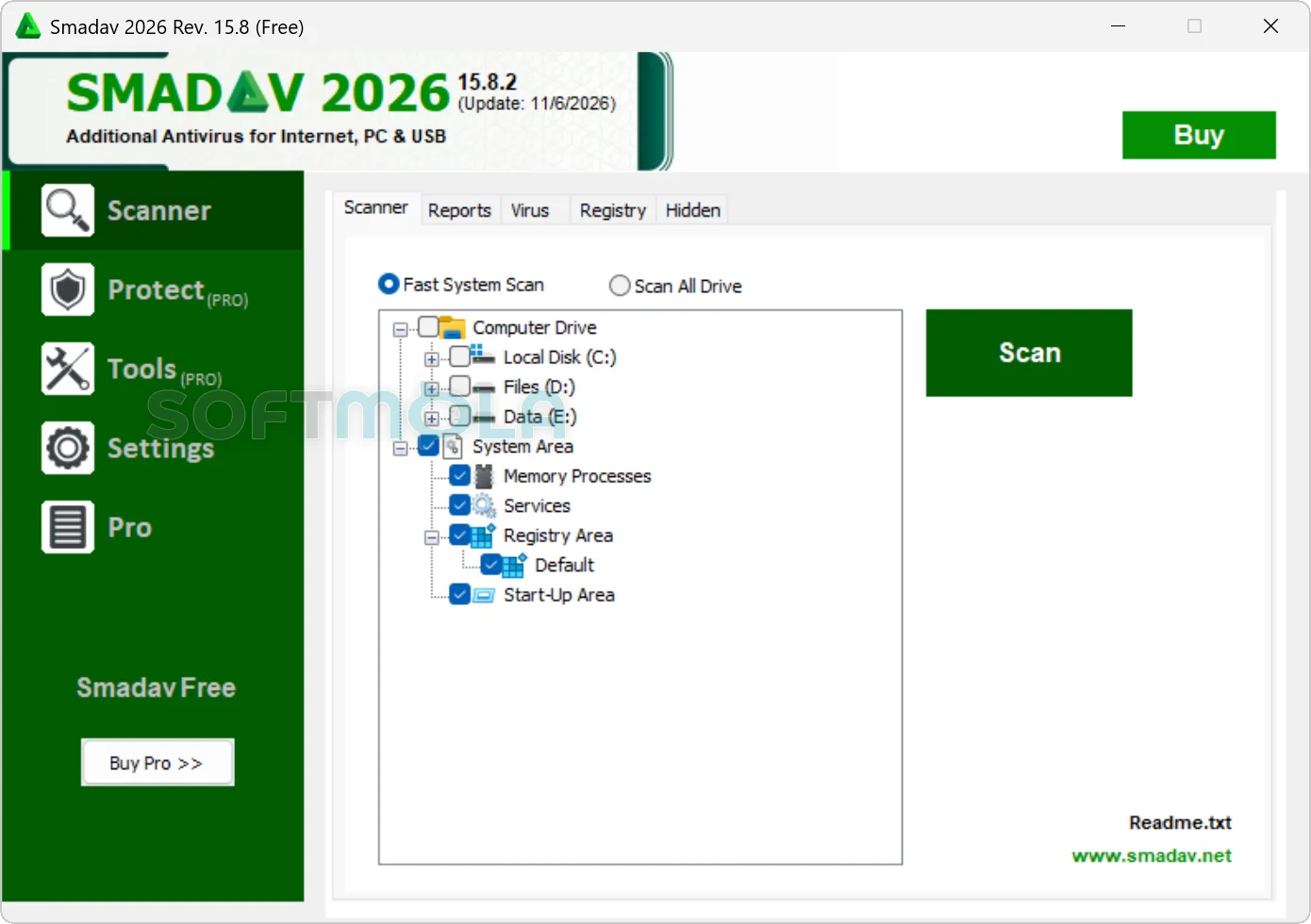
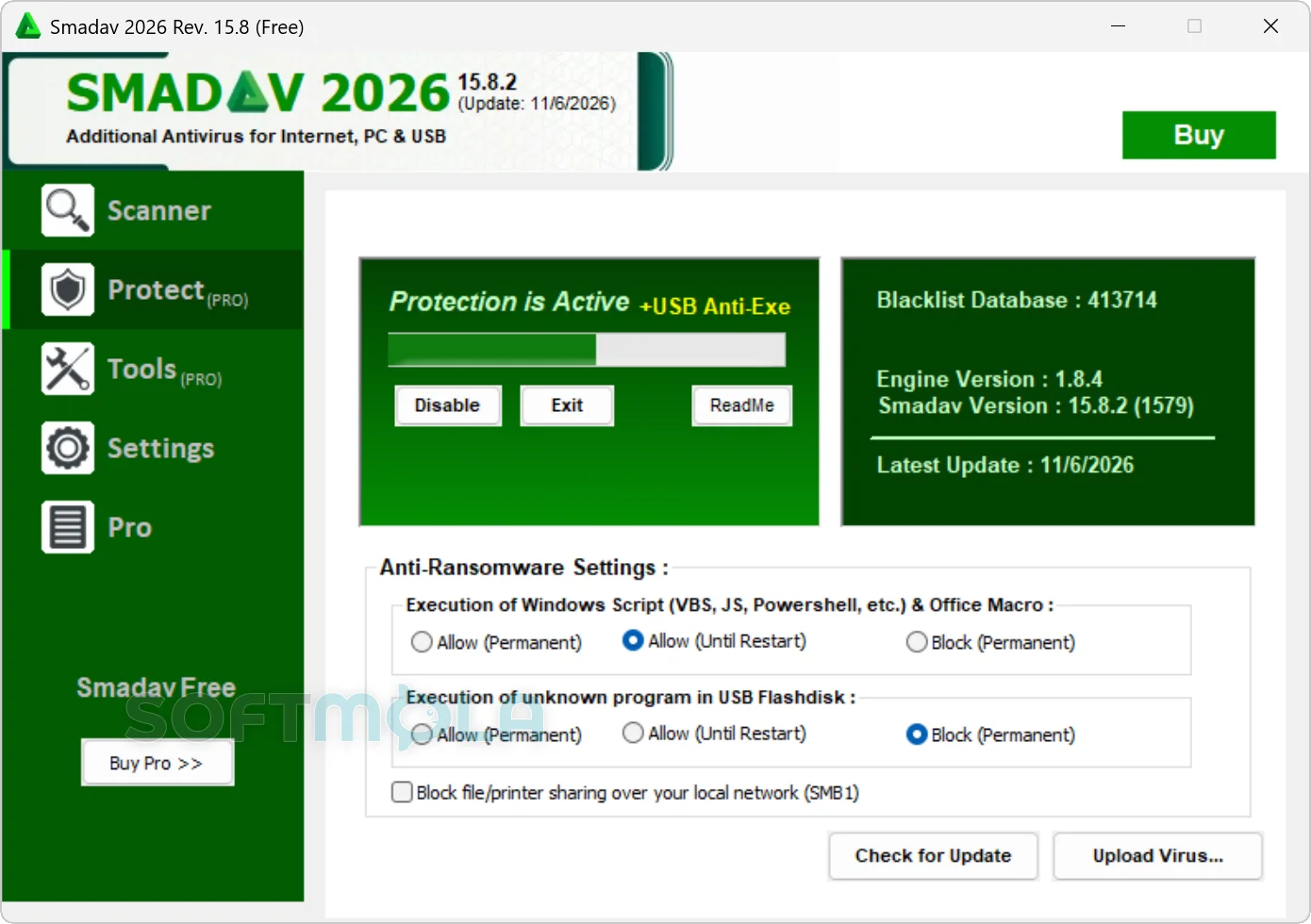
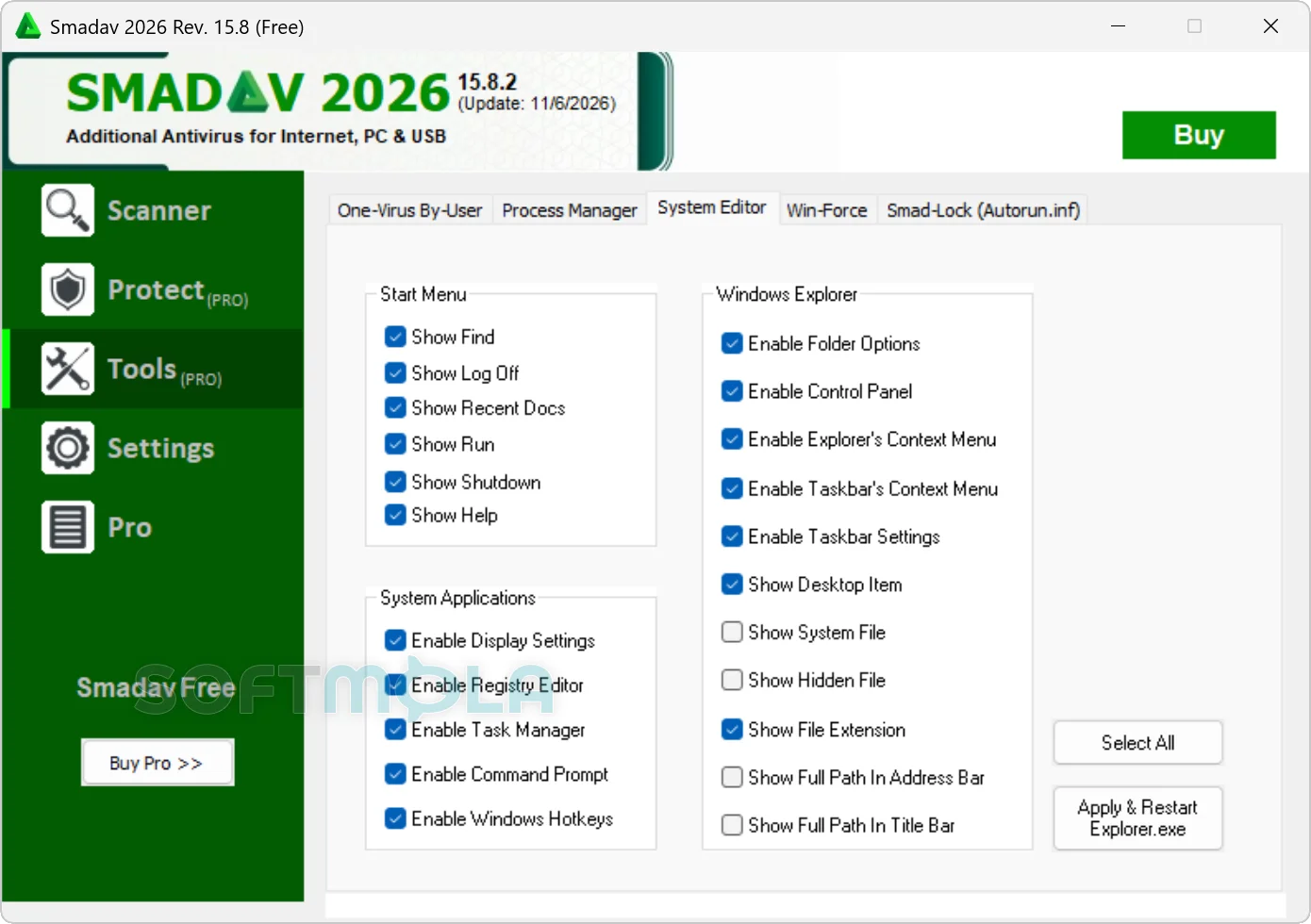
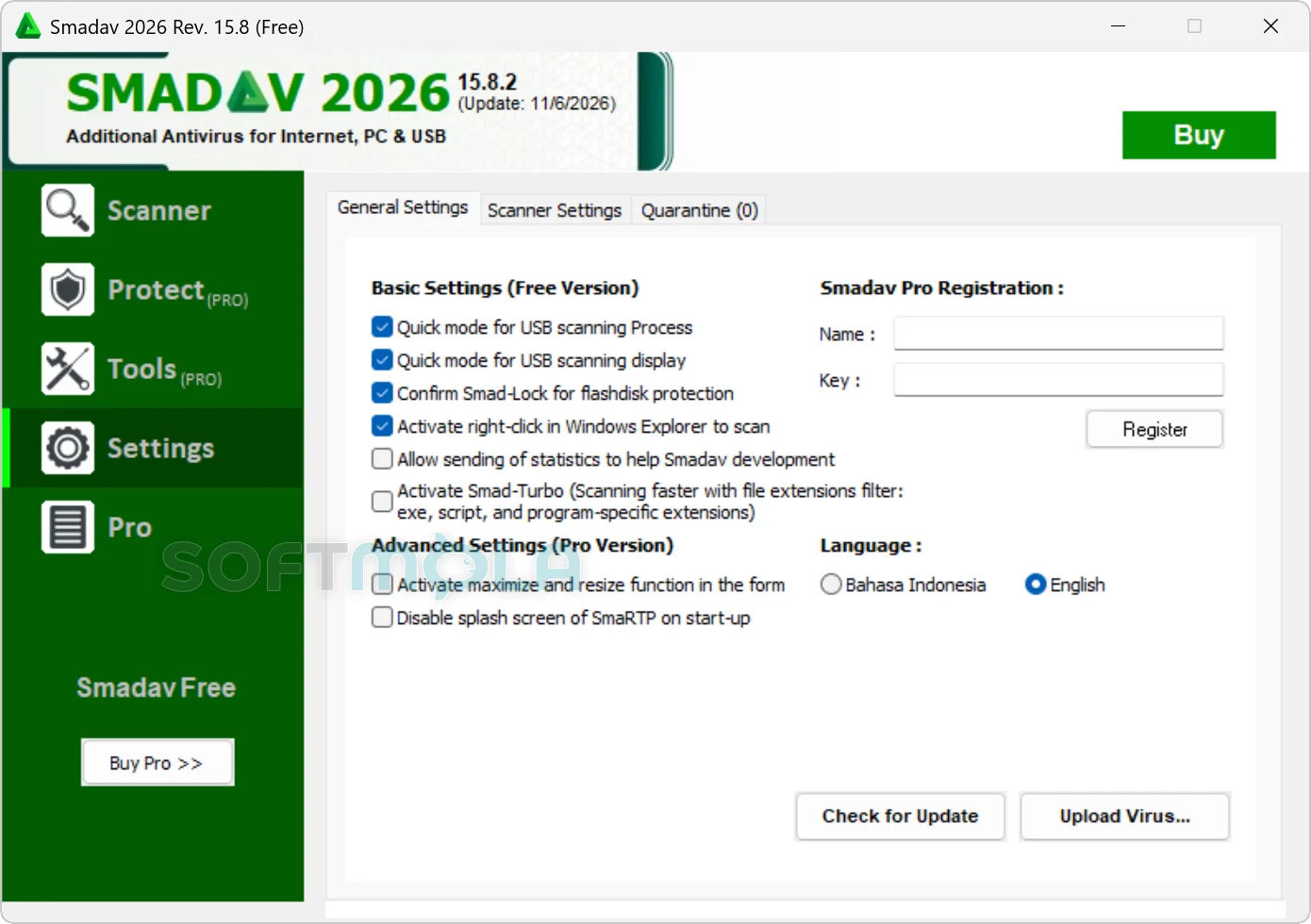
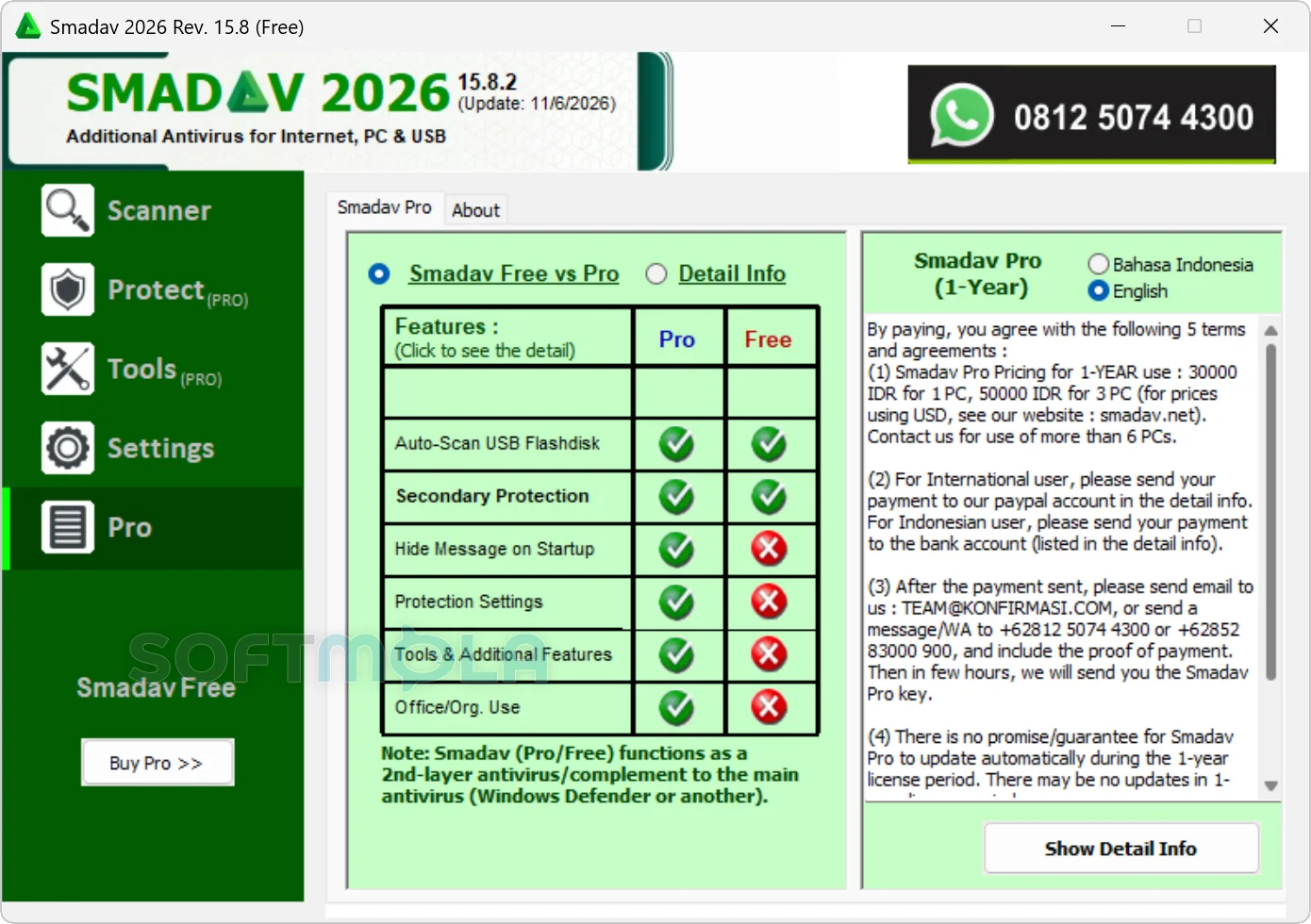
Table of Contents
Smadav Antivirus for Windows is a lightweight security utility designed to work alongside Microsoft Defender or another primary antivirus. Its strongest focus is removable storage: scanning USB flash drives, blocking suspicious executable files, removing infections, and restoring files hidden by USB-based malware.
Developed by Indonesia-based Smadav Software, the program remains actively maintained. The official website lists Smadav 2026 Rev. 15.8.2 as the current release, with updated malware definitions and fixes for repeated update notifications. Smadav is available in Free and Pro editions, but neither is positioned by its developer as a replacement for comprehensive antivirus protection.
That narrow role makes Smadav most relevant to people who frequently exchange files through flash drives, use shared or offline Windows computers, or need an additional scanner with a small system footprint. Users seeking complete protection against phishing, malicious websites, ransomware, account theft, and other modern threats should continue using a full security product as their main defense.
Smadav Antivirus Review
Smadav takes a different approach from mainstream antivirus suites. Rather than trying to manage every part of Windows security, it acts as a supplementary layer. The developer explicitly advises users to keep Windows Security, Microsoft Defender, or another more complete antivirus enabled. This is an important distinction: Smadav should be evaluated as a specialist companion tool, not as a complete security platform.
Its clearest practical advantage is USB protection. Removable drives are still commonly used in schools, offices, repair shops, printing businesses, and locations where internet access is limited. They can also spread shortcut viruses, infected executable files, and scripts between computers. Smadav applies signatures, heuristics, its AI model, and an Anti-Exe technique to inspect USB activity. When it finds an infection, it can attempt to remove the threat and restore files that malware has hidden on the drive.
This focus gives the software a recognizable purpose even though Windows already includes capable built-in protection. A person who rarely connects external drives may see little benefit from installing another security program. For someone who handles flash drives from many sources, however, a second scanner focused on removable media can provide a useful additional checkpoint.
Smadav also emphasizes low resource use. The developer says the installer is under 10 MB and that the active program usually consumes under 20 MB of memory with minimal CPU activity. Those figures come from the vendor rather than an independent performance test, but they are consistent with the product’s limited scope. It does not include the broader collection of browser tools, identity monitoring, cloud dashboards, password management, VPN services, or parental controls found in larger security suites.
Detection combines traditional signatures with heuristic methods and Smadav-AI. The AI component is intended to identify suspicious programs that have not yet been added to the signature database, including executable files obtained from the internet. This can improve coverage between definition updates, but predictive detection can also flag legitimate software. Smadav acknowledges the possibility of false alarms, and its 2026 Rev. 15.7 update lowered AI sensitivity to reduce incorrect detections. Users should therefore review unfamiliar findings carefully rather than automatically deleting every flagged file.
A larger limitation is the lack of current results from major independent antivirus laboratories. Smadav is not included among the 16 consumer Windows products listed in AV-TEST’s June 2026 evaluation. Consequently, there is no recent AV-TEST protection, performance, or usability score that can independently confirm how its detection compares with widely tested antivirus engines. That does not prove the product is ineffective, but it makes its broader protection capabilities harder to assess objectively.
The Free edition retains the core second-layer protection, while Pro mainly adds control and convenience features. These include removal of the startup upgrade message, access to additional tools and protection settings, an exception list, interface customization, an administrator password, and licensing for business or organizational use. The paid edition does not transform Smadav into a full internet security suite, so purchasing decisions should be based on those added controls rather than an expectation of completely different malware protection.
Privacy also deserves attention. Smadav’s published policy says the program may passively collect usage statistics and samples of programs or viruses while it is active. Its website records information such as IP address, country, pages visited, and visit duration, which the developer describes as anonymous. The policy provides a basic account of these practices, although it offers less detail than the privacy documentation published by many larger security vendors.
Overall, Smadav remains relevant as a compact USB-focused security utility, particularly in environments where removable drives are a regular source of file exchange. Its limited scope, absence from current major lab comparisons, and reliance on another antivirus mean it is less suitable for users seeking one application to handle all aspects of Windows security.
Key Features of Smadav Antivirus
USB Flash Drive Protection
USB protection is Smadav’s defining feature. The program monitors removable drives and uses several detection techniques to identify suspicious executable files, scripts, shortcuts, and known malware. This can be valuable when a flash drive has been connected to public, shared, or poorly maintained computers.
Smadav can also attempt to repair some of the disruption caused by USB malware. In particular, it is designed to reveal files that an infection has hidden. This does not guarantee that every damaged or deleted file can be recovered, but it addresses a common symptom of shortcut and removable-drive infections.
Second-Layer Malware Protection
Smadav is built to run beside a primary antivirus rather than replace it. The program can complement Microsoft Defender or another security product without intentionally disabling the main protection layer.
This design reduces the chance of the direct conflicts that can occur when two full antivirus suites compete to control the same system functions. Compatibility can still vary between configurations, so users should watch for duplicated alerts or scanning problems after installation. Smadav’s own guidance remains clear: comprehensive antivirus protection should stay active.
Smadav-AI and Heuristic Detection
Smadav-AI examines files for characteristics associated with malicious software instead of relying exclusively on a list of known threats. It works with signature and heuristic detection to identify suspicious programs on the computer, on USB storage, and among executable files downloaded from the internet.
This approach may detect unfamiliar malware earlier, but it also introduces uncertainty. Legitimate utilities, uncommon applications, and newly compiled programs can sometimes resemble malicious files. The developer’s recent work to lower AI sensitivity shows that false detection remains an area requiring careful tuning. Quarantine and manual verification are safer responses than immediate permanent deletion when a warning concerns a trusted or important file.
Lightweight Background Operation
Smadav avoids many resource-intensive features found in full security suites. Its compact design allows it to remain active while another antivirus performs the main real-time protection.
That makes it potentially suitable for modest Windows PCs or systems where installing a large second security package would be impractical. Still, the low resource figures published on the product website have not been validated by a recent major independent performance test, so actual impact may depend on the computer and its existing security software.
Virus Cleaning and System Repair Tools
In addition to automatic scanning, Smadav includes utilities intended to help investigate and repair an affected Windows system. The available tools include a process manager, a system editor for settings changed by malware, Win-Force for opening Windows management components, and a function for submitting a user-selected suspicious file for cleaning.
Several of these utilities are reserved for Smadav Pro. They are most useful to experienced users or support technicians who understand Windows processes and system settings. Changing the wrong process or configuration can cause additional problems, so these tools should not be treated as general PC optimization features.
Free and Pro Editions
Smadav Free provides the basic supplementary antivirus and USB protection functions. It also displays an upgrade offer when Windows starts. For personal users who only need occasional scanning and removable-drive protection, the free edition may be sufficient.
Smadav Pro removes that startup promotion and unlocks additional settings, tools, exclusions, administrator-password controls, and visual customization. It is also the edition licensed for use by businesses, institutions, and organizations. The Pro features offer more management flexibility, but the product still requires a primary antivirus in either edition.
Smadav Antivirus for Windows is best viewed as a specialist companion for users who regularly work with USB flash drives and want an extra malware-checking layer without installing another full security suite. Its compact footprint and file-restoration functions are useful strengths, while the limited independent testing and narrower online protection prevent it from serving as a complete replacement for Microsoft Defender or another established antivirus. For the right USB-heavy workflow, the Free edition offers a practical starting point; Pro is more relevant when advanced controls or commercial licensing are required.
How to Download and Install Smadav Antivirus on Windows
Smadav is distributed through a standard Windows executable installer. The official download page starts the Smadav Free download automatically and provides an alternative official link if the initial download does not begin. No account is presented as a requirement for downloading the Free edition.
How to Download Smadav Antivirus
Select the Download Free Version button on this page.
Continue to the verified Smadav download source provided by Softmola.
Confirm that the destination is the official Smadav download service rather than an unrelated mirror.
Allow the official page to start the Windows installer download.
Save the executable file in an accessible folder, such as Downloads.
Wait until the download has finished before opening the installer.
Use only the installer supplied through the verified route. Avoid modified packages, unofficial Pro editions, cracks, activators, or registration keys offered by third parties.
How to Install Smadav Antivirus
Open the downloaded Smadav executable file.
Approve the Windows User Account Control request if Windows displays one and you intended to run the verified installer.
Review the setup information, license terms, and any installation choices shown by the installer.
Continue through the setup screens and confirm the installation.
Open Smadav after setup has finished.
Keep Microsoft Defender or your existing primary antivirus enabled because Smadav is intended to provide supplementary protection.
Allow Smadav to check for available program or threat-database updates before relying on its scan results.
A normal installation should not require you to disable Windows Security. Stop the process and verify the file source if an installer obtained from an unofficial location asks for unnecessary security changes.
Getting Started with Smadav Antivirus
Check for updates: Smadav may use an internet connection to download updates and transmit permitted statistics or program samples.
Keep primary protection active: Continue using Microsoft Defender or another complete antivirus as the main Windows security layer.
Scan removable drives: Connect a USB drive and use Smadav to examine it before opening unfamiliar executable files or shortcuts.
Review detections carefully: Quarantine suspicious items when possible and verify important files before permanently removing them, particularly when an AI or heuristic warning affects trusted software.
Choose the correct license: Personal users can use Smadav Free, while companies, institutions, and other organizations require a Pro license.
Smadav Antivirus Pros & Cons
- Strong focus on USB threats: Smadav scans removable drives, blocks suspicious executable files, attempts to remove infections, and can restore files hidden by USB malware.
- Designed as a companion antivirus: It can operate alongside Microsoft Defender or another primary security product instead of trying to replace it.
- Lightweight design: The developer reports an installation size below 10 MB, low CPU use, and typical active memory use below 20 MB. Actual resource use may vary between systems.
- Multiple detection methods: Smadav combines signatures, heuristics, AI-based analysis, and USB Anti-Exe techniques rather than depending on one detection method.
- Free edition for personal users: The core second-layer protection is available without payment for non-commercial use.
- Cannot replace a complete antivirus: Smadav’s developer recommends keeping Windows Security, Microsoft Defender, or another broader antivirus enabled.
- Limited recent independent validation: Smadav was not among the 16 consumer products included in AV-TEST’s June 2026 Windows evaluation, making direct comparison with major antivirus engines difficult.
- False positives are possible: The developer acknowledges that Smadav-AI can produce false alarms and reduced its detection sensitivity in a recent release to address incorrect detections.
- Free edition displays upgrade messages: Smadav Free can show a Pro upgrade offer when Windows starts and when the application is opened.
- Some data collection occurs: The privacy policy states that Smadav may collect usage statistics and program or virus samples while the application is active.
Frequently Asked Questions
What is Smadav Antivirus?
Smadav is a Windows security utility developed as an additional or second-layer antivirus. It focuses particularly on malware that spreads through USB flash drives, although it can also scan the PC and examine executable files obtained from the internet. It is intended to complement a more complete antivirus rather than provide all Windows security functions by itself.
Is Smadav Antivirus free?
Yes. Smadav Free is available without payment for personal use. The Pro edition adds features such as advanced protection settings, security tools, an exception list, interface customization, administrator-password controls, and permission for business or organizational use. Free users should expect to see upgrade messages at startup.
Can Smadav replace Microsoft Defender?
No. Smadav should not replace Microsoft Defender or another comprehensive antivirus. Its developer describes it as second-layer protection and advises users to keep a primary antivirus enabled. Smadav’s narrower focus makes it more suitable for additional USB scanning and malware cleanup than for managing every area of online and system security.
Can I use Smadav with another antivirus?
Smadav is specifically designed to work as a companion to another antivirus, including Windows Security or Microsoft Defender. This reduces the conflict risk associated with installing two complete antivirus suites. Compatibility can still depend on the individual PC, so investigate repeated alerts, duplicated scanning, or unusual performance problems if they appear after installation.
Is Smadav Antivirus safe to download?
The most reliable approach is to obtain Smadav through the verified Softmola download route or the developer’s official download page. Avoid unofficial mirrors, modified installers, registration cracks, and shared Pro keys. Smadav should also remain a supplementary security layer; downloading it from an official source does not guarantee protection from every threat.
Does Smadav slow down a Windows PC?
Smadav is designed to use relatively few system resources. The developer reports that the software normally uses little CPU time and less than 20 MB of memory while active. These are vendor figures rather than results from a recent independent performance test, so the actual impact can vary according to the PC, Windows configuration, and other security software.
Does Smadav Pro detect more malware than Smadav Free?
The developer states that the Free and Pro editions have the same detection capability. Pro primarily unlocks additional settings, cleanup tools, exclusions, administrative controls, customization, and commercial-use rights. Users should therefore consider Pro for its added control and licensing rather than expecting a separate, more powerful detection engine.
Can Smadav recover files from an infected USB drive?
Smadav can attempt to reveal files that malware has hidden on a USB flash drive. This is useful when an infection replaces visible folders with malicious shortcuts or changes file attributes. It should not be treated as a general data-recovery application, however, and it cannot guarantee the restoration of files that have been deleted, overwritten, or physically damaged.