

AIMP for Windows
A free Windows audio player with broad format support, flexible playlists, sound controls, and music library management.
Software Information
Recommended: 64-bit Available: 32-bit
AIMP Screenshots
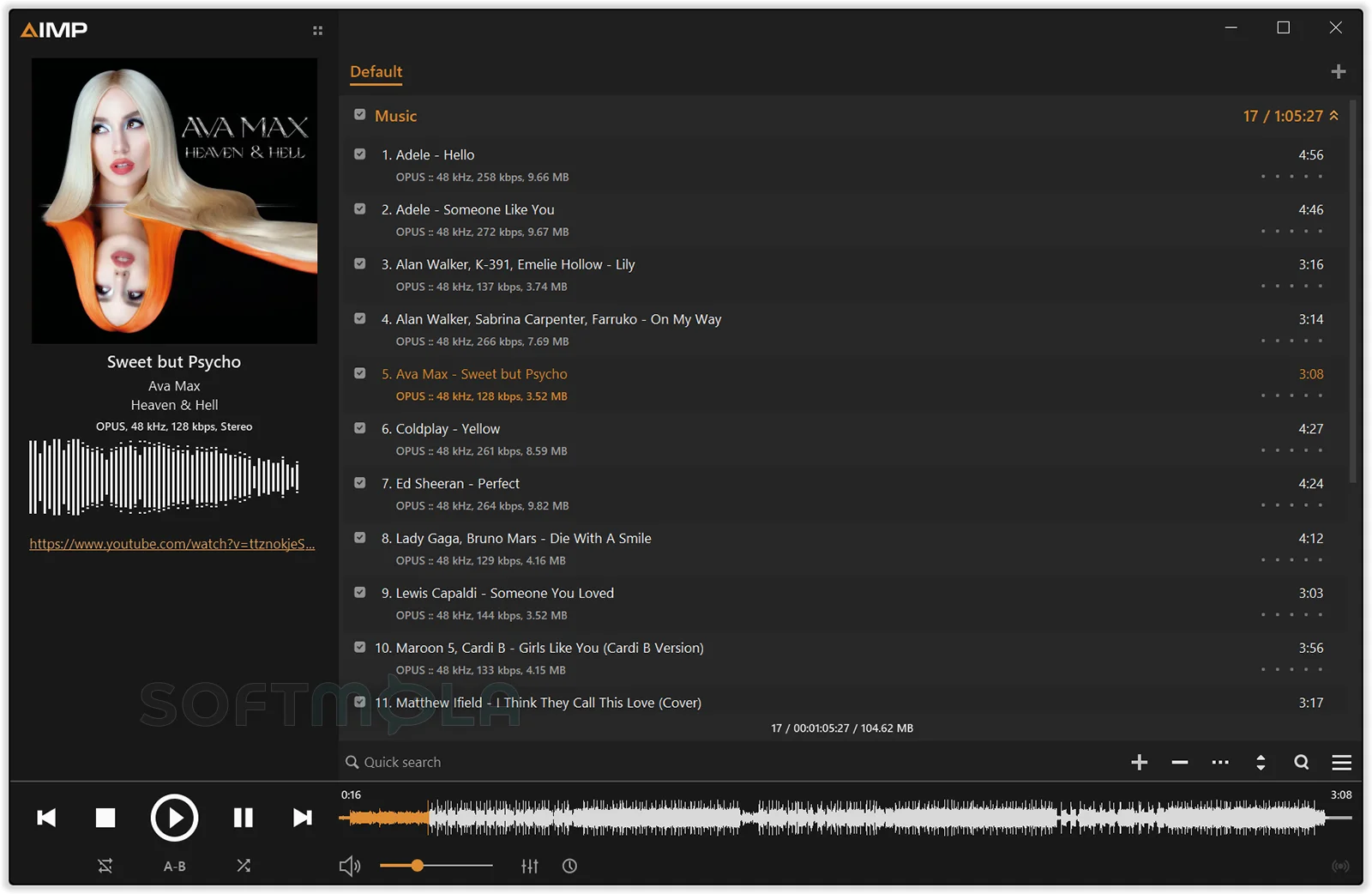
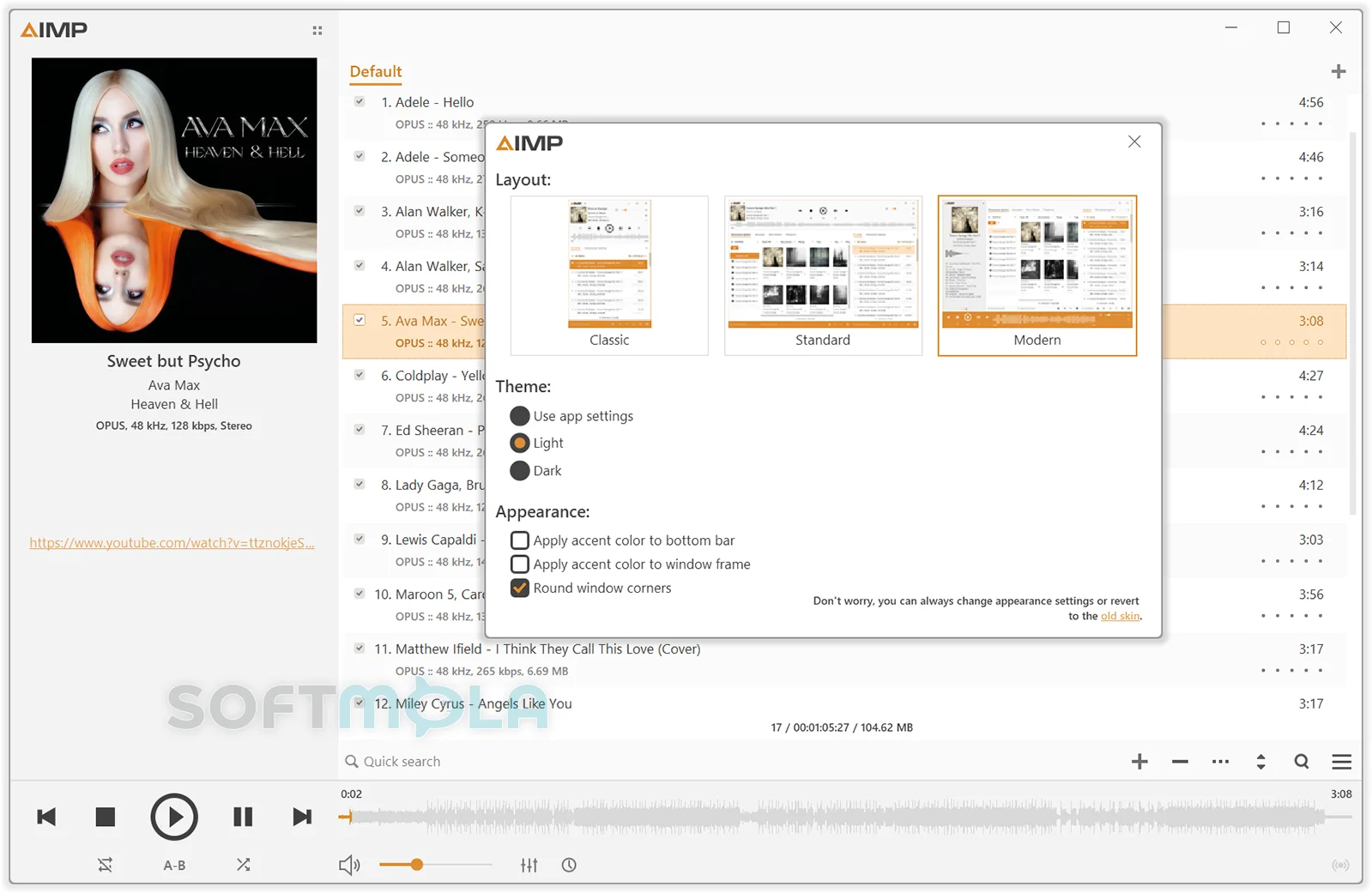
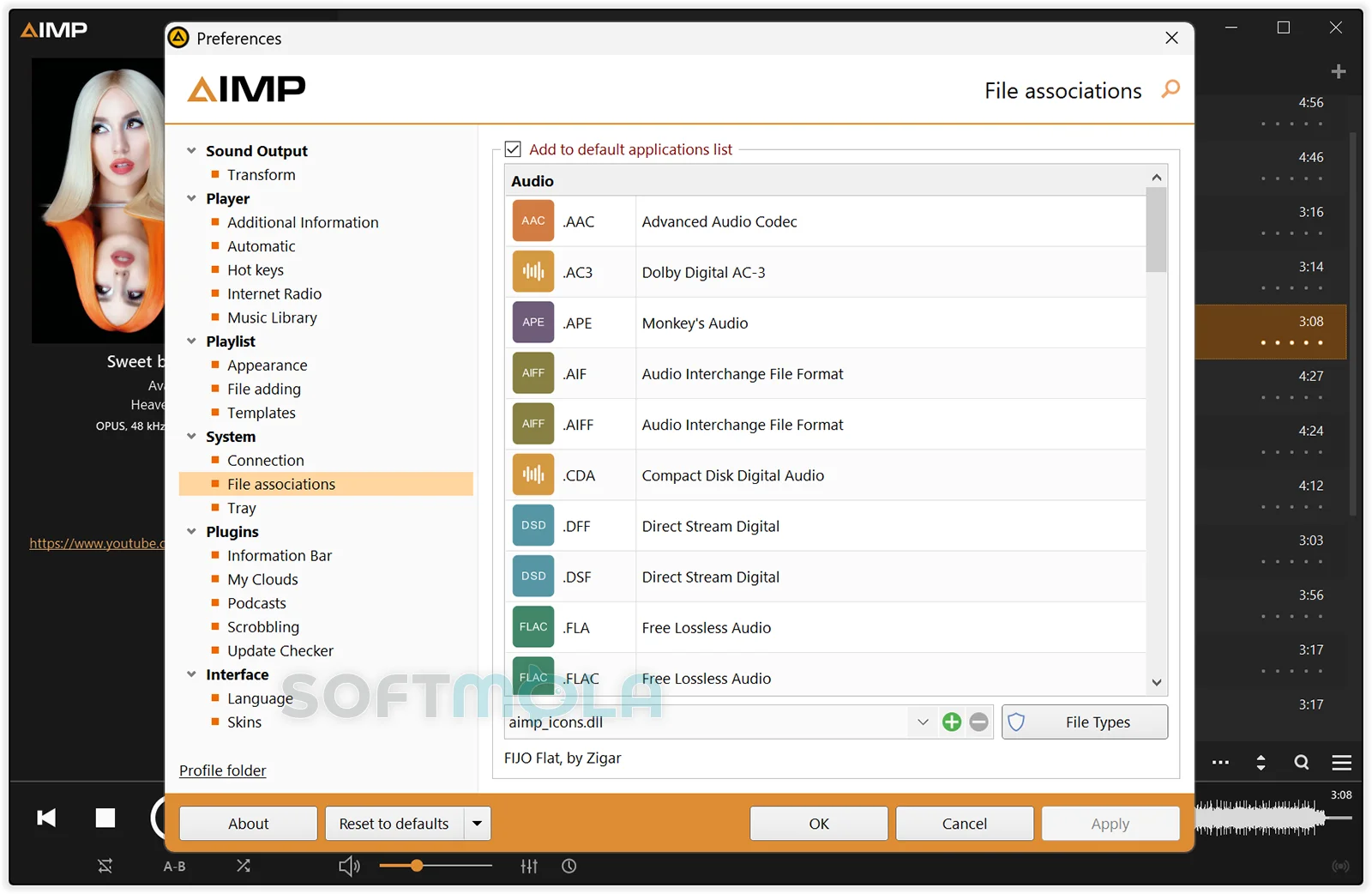
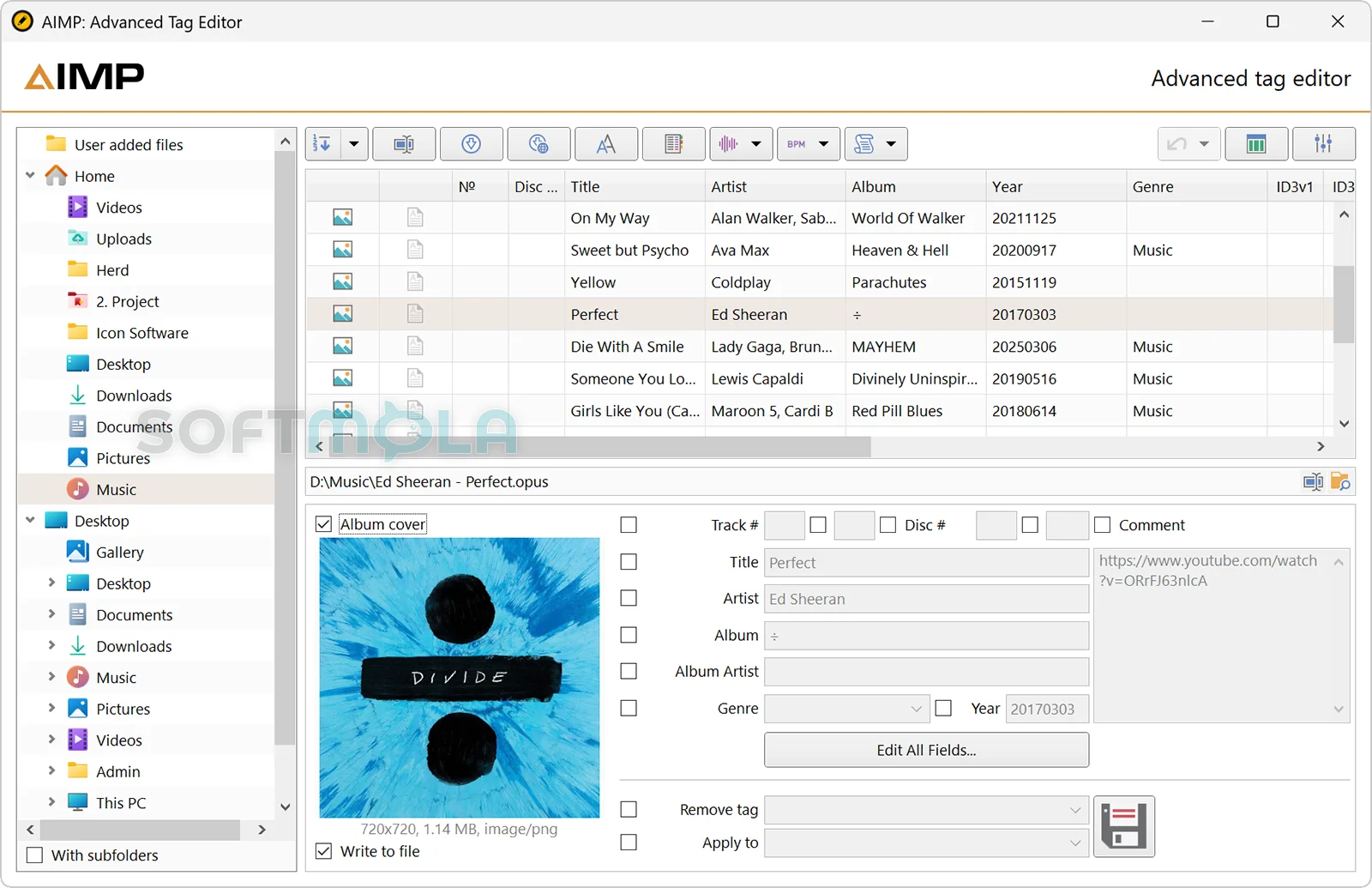
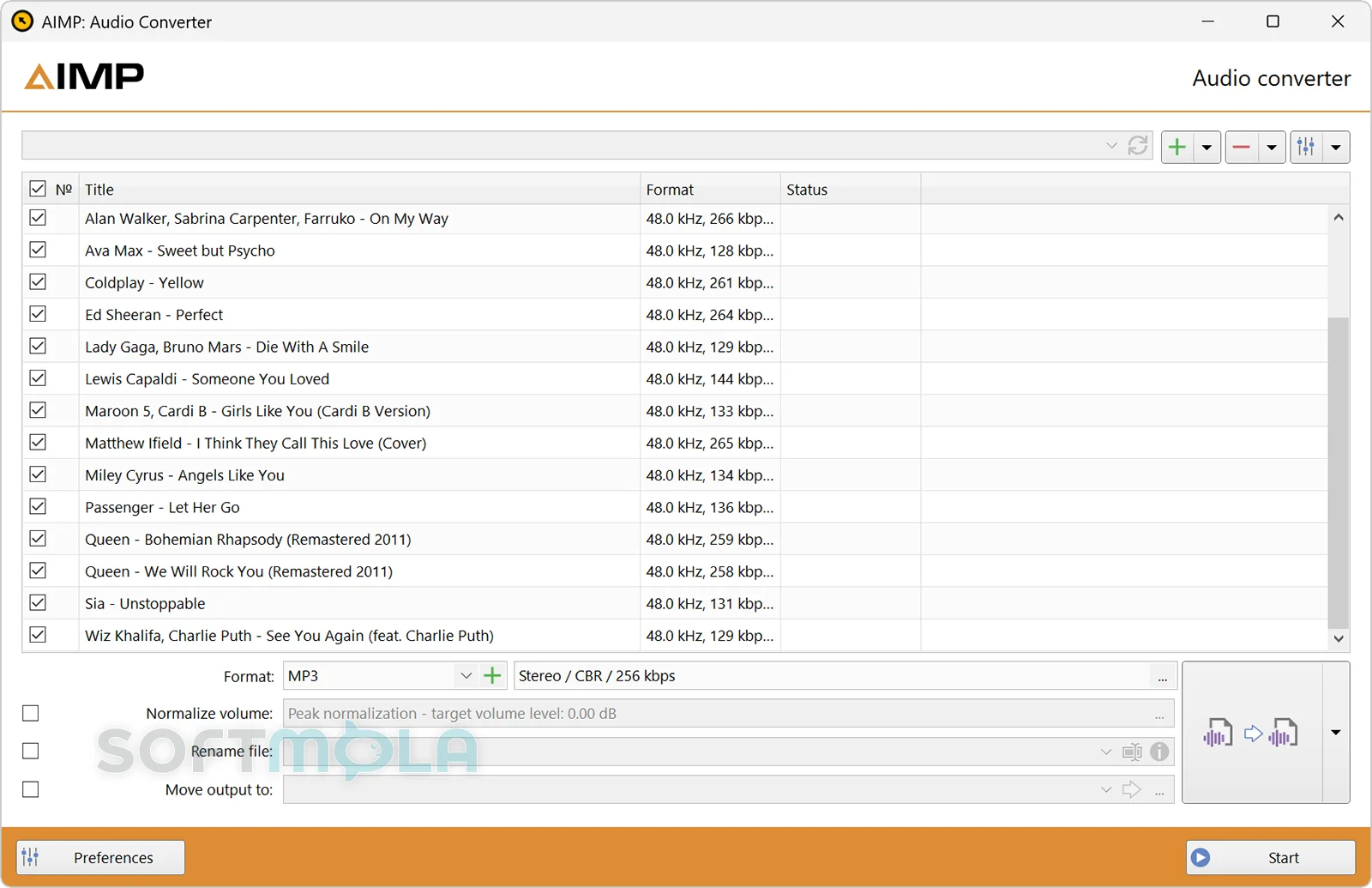
Table of Contents
AIMP is a free audio player for Windows built for people who keep and manage their own music collections. It plays a wide range of common, lossless, high-resolution, tracker, and disc-image formats while providing playlists, library management, audio conversion, tag editing, internet radio, podcasts, and detailed sound controls in one desktop application.
AIMP for Windows is particularly useful for listeners with music stored on a PC, external drive, NAS, or supported cloud service. It offers considerably more control than a basic media player, yet it does not require a subscription or a permanent account. Its main appeal is not access to a commercial streaming catalogue, but flexible playback and organization of audio that the user already owns or can access directly.
AIMP Review
AIMP occupies a practical middle ground between simple Windows music players and highly technical audio applications. Basic playback is straightforward, but the software contains enough configuration options to satisfy users who want to control output methods, volume behavior, playlists, metadata, visual appearance, and library structure. It supports DirectSound, WASAPI, WASAPI Exclusive, and ASIO output, which makes it suitable for ordinary speakers and headphones as well as more specialized audio hardware.
The interface is centered on playlists rather than the album-focused layout used by many streaming services. Multiple playlists can remain open at the same time, and each can have its own grouping and display settings. A separate music library can index folders, store listening statistics, and create smart playlists based on selected criteria. This approach works well for large or carefully organized collections, especially when filenames, folder structures, and tags already contain useful information.
New users may need some time to understand how the playlist window, library, queue, and secondary tools fit together. AIMP exposes many controls through menus and context actions, and its compact player-style interface can initially feel busier than a minimalist Windows app. The extensive preferences are an advantage for experienced users, but people who only need play, pause, and search may find some of the customization unnecessary.
Sound control is one of AIMP’s strongest areas. The application includes a 20-band equalizer, ReplayGain support, volume normalization, fading, cross-mixing, silence removal, and effects for adjusting pitch, tempo, speed, bass, reverb, echo, and other characteristics. These tools are useful for balancing tracks from different albums, creating smoother transitions, or changing playback speed without permanently editing the source file. They should not be confused with automatic improvements to recording quality, however. The final result still depends on the original file, output settings, audio device, and speakers or headphones.
AIMP also goes beyond playback by including an audio converter, CD extraction tools, and a capable tag editor. These components make it possible to reorganize an older collection without installing separate utilities for every task. Batch metadata editing, template-based file renaming, ReplayGain calculation, chapter and CUE editing, and conversion between several popular formats are available. Some encoding workflows may require external encoders, so support for playing a format does not always mean every possible encoding option is included by default.
The software remains actively maintained. AIMP’s official changelog lists an update to the stable 5.40 branch dated August 1, 2026, while AIMP 6 was still offered as a beta release at the end of July. The developer explicitly labels the beta as a test version that may contain bugs, making the stable branch the more sensible option for everyday listening. Native Windows 11 on ARM support is being developed through version 6, while the stable Windows release currently targets conventional 32-bit and 64-bit systems.
AIMP is freeware rather than a time-limited trial, and its licence permits use on home and organizational computers. The desktop privacy policy states that the update checker sends a generated identifier and the selected interface language to the project’s server. Users can stop this transmission by disabling the update-checking plugin, although doing so also removes semi-automatic update notifications. Release versions can send crash reports manually, while authorization for cloud storage and other third-party services is optional.
These practices are more limited than the data collection associated with many account-based streaming platforms, but they do not make AIMP completely offline in every configuration. Cloud access, scrobbling, lyrics providers, internet radio, podcasts, and update checks naturally require network connections. Users who prefer a local-only player can avoid most of those functions and keep their library on the PC.
From a security perspective, AIMP is still relevant provided it is obtained from the official source and kept updated. The developer publishes file hashes for official Windows downloads, which can help advanced users verify file integrity. Extra care is appropriate when adding community-made skins, plugins, or encoders, since extensions introduce code that is not necessarily maintained to the same standard as the core application. AIMP itself supports Windows versions as old as Vista, but running current software does not compensate for an operating system that no longer receives security updates.
The largest functional limitation is that AIMP is designed around personal audio libraries rather than modern subscription streaming. It handles local files, network storage, selected cloud services, podcasts, and radio streams, but it is not a direct replacement for Spotify, Apple Music, or another service built around discovery and licensed on-demand catalogues. Listeners who primarily stream music may therefore prefer a dedicated service app. For users with downloaded albums, lossless archives, DJ sets, audiobooks, or carefully tagged collections, AIMP remains much more compelling.
Key Features of AIMP
Broad Audio Format Support
AIMP can play familiar formats such as MP3, AAC, M4A, OGG, Opus, WAV, WMA, FLAC, and Apple Lossless, alongside less common formats including APE, WavPack, Musepack, OptimFROG, tracker modules, DSD-related files, and audio divided through CUE sheets. This breadth is helpful when a library has been assembled from different stores, CD rips, recording tools, or older media players.
Support for multiple Windows output systems also gives users control over how audio reaches their hardware. DirectSound is appropriate for general use, while WASAPI Exclusive or ASIO may be relevant when working with compatible DACs and professional audio interfaces.
Music Library and Smart Playlists
The music library indexes selected locations and lets users browse tracks without manually opening folders each time. It can retain listening statistics, ratings, and marks, making it easier to identify frequently played or overlooked material.
Smart playlists can populate themselves from library data or watched folders using filters and grouping rules. A user could, for example, create separate views for recently added albums, highly rated tracks, a particular format, or music stored on a specific drive. The system is powerful, although building detailed rules requires more setup than a conventional static playlist.
Equalizer, ReplayGain, and Playback Effects
The built-in 20-band equalizer provides finer adjustment than the basic bass and treble controls found in many players. Additional effects can modify tempo, pitch, speed, reverb, echo, chorus, and other aspects of playback.
ReplayGain and peak-based normalization are more practical for everyday listening. They help reduce noticeable volume differences between tracks without rewriting the underlying audio samples. Cross-mixing, fade controls, pauses between tracks, and silence removal can also shape transitions, whether the user wants continuous playback or a deliberate gap between songs.
Flexible Playlists and Playback Queue
AIMP allows several playlists to remain open while one of them is playing. Tracks can be grouped using custom templates, displayed with one or two lines of information, searched across open playlists, or protected against accidental changes.
The playback queue works separately from the permanent playlist order. This is useful when someone wants to hear several selected tracks next without rearranging an album or carefully prepared playlist. Bookmarks can also preserve useful positions in long recordings, mixes, or spoken-word files.
Audio Converter and CD Extraction
The integrated converter can process multiple files and encode audio to formats including MP3, FLAC, Opus, OGG, WAV, WMA, APE, Musepack, and WavPack. It supports several output arrangements, including separate converted files or combined output with an accompanying CUE sheet. Audio CDs can also be imported through the CD grabber.
This feature is valuable when preparing smaller files for a portable device, converting a lossless archive to another format, or standardizing a mixed collection. Converting a lossy file into another lossy format will not restore missing quality and may introduce further degradation, so original lossless sources should be retained when possible.
Tag Editor and File Organization
AIMP’s tag editor supports widely used metadata systems such as ID3, APE, Vorbis, WMA, and M4A tags. It can edit groups of files, fill fields from filenames, calculate track numbering, change text case, transliterate text, and rename or reorganize files using templates.
These tools are especially useful for albums with inconsistent artist names, missing track numbers, or files stored in poorly structured folders. Because batch operations can affect many files at once, reviewing the proposed changes and keeping a backup is advisable before applying a complex renaming rule.
Internet Radio, Podcasts, and Cloud Sources
AIMP can play internet radio in several streaming formats and, where permitted, capture streams either in their original form or in another supported audio format. Podcast feeds can be added to the player, allowing spoken-word programmes and music to sit beside local playlists.
The music library can also connect to services including OneDrive, Google Drive, Dropbox, Yandex Disk, and custom WebDAV storage. These integrations are optional and primarily provide access to audio files rather than turning AIMP into a full cloud backup platform. Permissions and login methods depend on the selected provider.
Skins, Hotkeys, and Plugins
Several interface skins are included, and additional designs can change the player’s size, layout, controls, and visual style. High-DPI scaling is supported for modern displays, although third-party skins may differ in readability and compatibility.
Configurable local and global hotkeys allow playback to be controlled while another application is active. Plugins can add integrations, library sources, visualizations, and other utilities, but compatibility can change between major AIMP versions. Users relying on a particular extension should check its supported application version before upgrading.
AIMP is a strong choice for Windows users who want ownership and detailed control of their music library without paying for a subscription. Its extensive format support, playlist tools, sound processing, converter, and metadata editor offer considerably more depth than a basic player. The interface and settings may be excessive for casual streaming listeners, but people with local, lossless, network-based, or carefully organized audio collections will find that AIMP remains a capable and actively developed desktop player.
How to Download and Install AIMP on Windows
AIMP is distributed through its official download centre as separate 32-bit and 64-bit Windows packages. The official page also lists builds without an installer and a test version of AIMP 6. For a regular PC, select the stable release that matches the architecture of your Windows installation rather than the beta branch. No account or subscription is required to download the player.
How to Download AIMP
Select the Download Free Version button on this page.
Continue to the verified AIMP download source.
Locate the current stable Windows release rather than the separately labelled beta version.
Choose the 64-bit or 32-bit package that matches your Windows installation.
Select the normal installer unless you specifically need the build without an installer.
Save the downloaded file in an accessible folder, such as your Downloads folder.
Wait until the download has finished before opening the package.
The official download page publishes file hashes beside each package. Advanced users can compare the listed SHA-256 value with the downloaded file to confirm that it has not changed during distribution.
How to Install AIMP
Open the AIMP installer you downloaded from the verified source.
Approve the Windows User Account Control prompt if Windows displays one.
Review the licence terms before continuing.
Choose a conventional installation for normal desktop use or the portable installation mode when you want AIMP and its settings stored together in a selected folder.
Review any available installation location, component, shortcut, and file-association options before applying them.
Complete the setup and allow the installer to create the required application files.
Open AIMP after installation finishes.
Confirm that the player can access the folders containing your audio collection.
A system restart is not normally part of using an independent desktop audio player, but follow any verified message displayed by the installer if Windows reports that a file or component is currently in use.
Getting Started with AIMP
Add music to a playlist: Open individual audio files or add one or more folders containing music. AIMP can begin playback directly from a playlist without requiring a full library scan.
Configure the music library when needed: Add the folders you want AIMP to index if you need album browsing, search, ratings, statistics, grouping, or smart playlists.
Check the audio output: The default Windows output should suit most users. WASAPI Exclusive or ASIO should only be selected when you understand the requirements of your audio device and other applications.
Review volume processing: Enable ReplayGain or normalization when your collection contains tracks with noticeably different loudness levels. Avoid applying several volume-processing effects without understanding how they interact.
Keep the stable release updated: Update notifications help users receive maintenance fixes. AIMP’s changelog shows continued fixes for playback, conversion, tagging, plugins, and stability in the current stable branch.
AIMP Pros & Cons
- Free for personal and organizational use: AIMP is distributed as freeware rather than a limited trial, and its licence permits use on home and workplace computers.
- Extensive audio format support: It handles common formats such as MP3, AAC, FLAC, Opus, WAV, and WMA, along with lossless archives, tracker modules, CUE sheets, DSD audio, and several less common formats.
- Detailed playback control: A 20-band equalizer, ReplayGain, normalization, fading, silence removal, playback effects, and several Windows audio-output methods provide more control than a basic media player.
- Strong library and playlist tools: Multiple playlists, smart playlists, grouping options, playback queues, ratings, bookmarks, and listening statistics help manage large local collections.
- Useful built - in utilities: The audio converter, CD extraction tools, and batch tag editor reduce the need to install separate applications for routine music-library maintenance.
- Optional portable setup: The official installer supports a portable installation mode for users who prefer to keep the application and its settings together.
- The interface can feel dense: AIMP’s traditional playlist-based layout, separate windows, context menus, and extensive settings require more familiarity than a minimalist music app.
- Limited commercial streaming integration: It can play local files, radio streams, podcasts, NAS content, and supported cloud files, but it does not provide an integrated subscription music catalogue.
- Major upgrades may affect plugins: The official download page warns that plugins from previous versions will not work with newer 64-bit and beta builds in some upgrade scenarios.
- Native Windows on ARM support is not yet stable: An ARM64EC build is available through the AIMP 6 beta, while the current stable release is offered for x86 and x86-64 systems.
- Some advanced options are unnecessary for casual listeners: Users who only want basic playback may not need the converter, tag editor, library rules, DSP effects, or detailed output configuration.
Frequently Asked Questions
What is AIMP?
AIMP is a free desktop audio player and music-management application for Windows. It plays local and network-based audio, manages playlists and music libraries, supports internet radio and podcasts, and includes tools for converting files and editing metadata. Its feature set is primarily designed for people who maintain their own audio collections rather than relying entirely on subscription streaming services. AIMP is a free desktop audio player and music-management application for Windows. It plays local and network-based audio, manages playlists and music libraries, supports internet radio and podcasts, and includes tools for converting files and editing metadata. Its feature set is primarily designed for people who maintain their own audio collections rather than relying entirely on subscription streaming services.
Is AIMP free to use?
Yes. AIMP is freeware, not a time-limited trial. Its official licence permits installation and use on home computers and within organizations, including commercial and public-sector environments. The software does not require a paid subscription for its main playback, library, conversion, or tag-editing functions. Optional third-party online services may have their own account or payment requirements.
Does AIMP work on Windows 10 and Windows 11?
Yes. The current stable release supports Windows Vista or newer, which includes Windows 10 and conventional x86 or x64 editions of Windows 11. The stable download is available in separate 32-bit and 64-bit builds. A native ARM64EC edition for Windows 11 on ARM is currently offered through the AIMP 6 beta rather than the stable release.
Is AIMP safe to download?
AIMP should be downloaded from its official website or a download button that leads to a verified official source. The developer publishes MD5 and SHA-256 hashes for current Windows packages, allowing users to verify that a downloaded file matches the official release. This does not guarantee that every plugin, skin, encoder, or third-party package is trustworthy, so additional components should also come from reputable sources.
Do I need an account to use AIMP?
No account is required for local music playback, playlists, the music library, audio conversion, or tag editing. Authentication is only relevant when connecting optional services that require it, such as cloud-storage providers or certain online integrations. Users who keep their music on a PC, external drive, or local network can use the core player without creating an AIMP account.
Can AIMP work without an internet connection?
Yes. Local file playback, playlists, audio effects, metadata editing, and most library functions can work offline. An internet connection is required for software update checks and online features such as internet radio, podcasts, cloud storage, scrobbling, web-based lyrics, and online album-art searches. The update checker can be disabled, although doing so also removes automatic update notifications.
Is a portable version of AIMP available?
AIMP supports a portable installation mode through its official Windows installer. This mode is intended to keep the program and its settings in a selected folder rather than using a conventional system-wide setup. The official download page also provides builds without an installer, but a build without an installer should not automatically be treated as identical to a correctly configured portable installation.
Can AIMP replace Spotify or another streaming service?
Not for most streaming-focused users. AIMP does not include a licensed commercial music catalogue or the discovery system found in subscription platforms. It is better suited to music stored locally, on network drives, or in supported cloud accounts, as well as direct radio and podcast feeds. It can complement a streaming service, but it serves a different purpose.