

WinRAR for Windows
A powerful Windows archive utility for compressing, extracting, encrypting, and managing RAR, ZIP, and other common archive formats.
Software Information
Recommended: 64-bit Available: 32-bit
WinRAR Screenshots
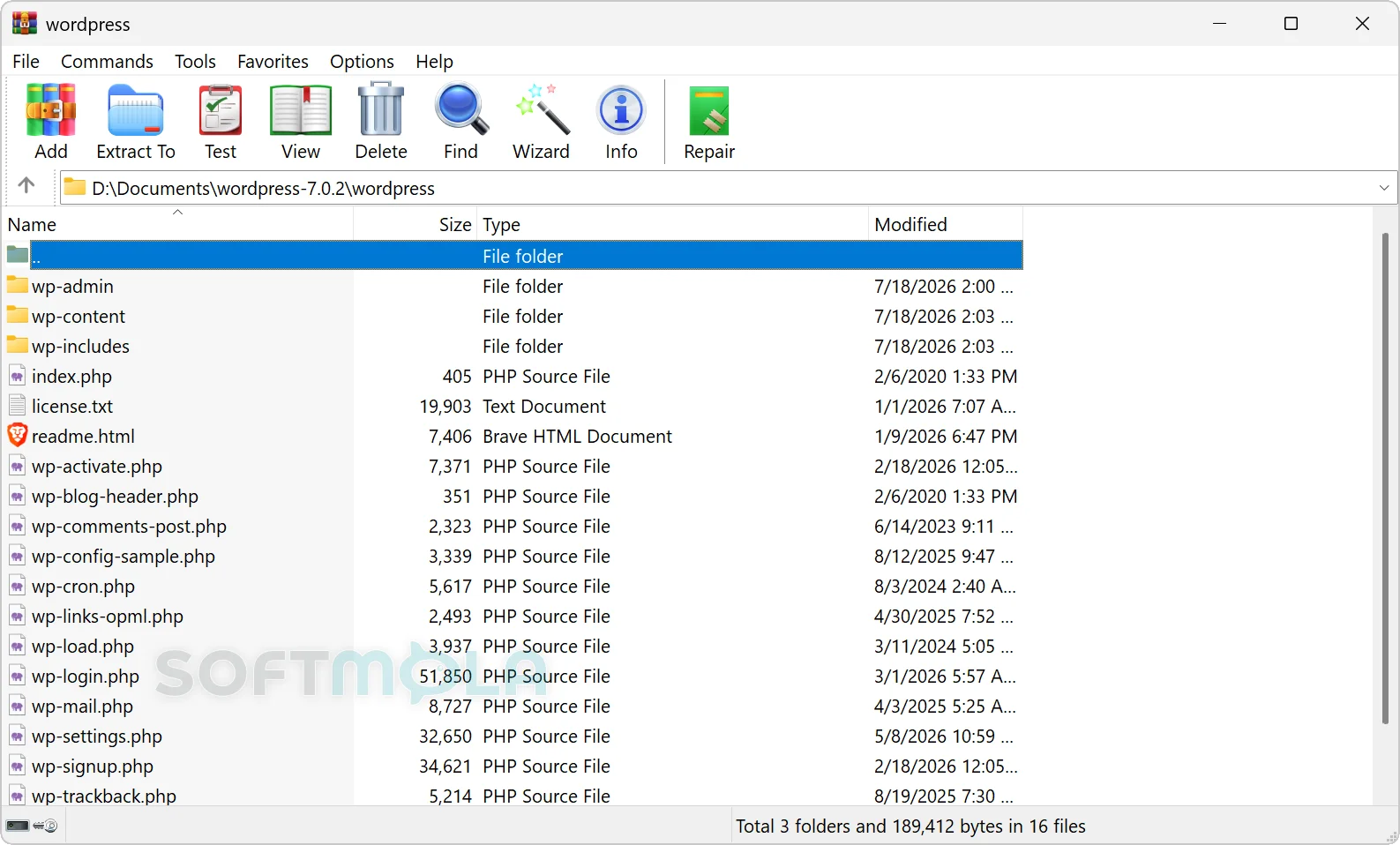
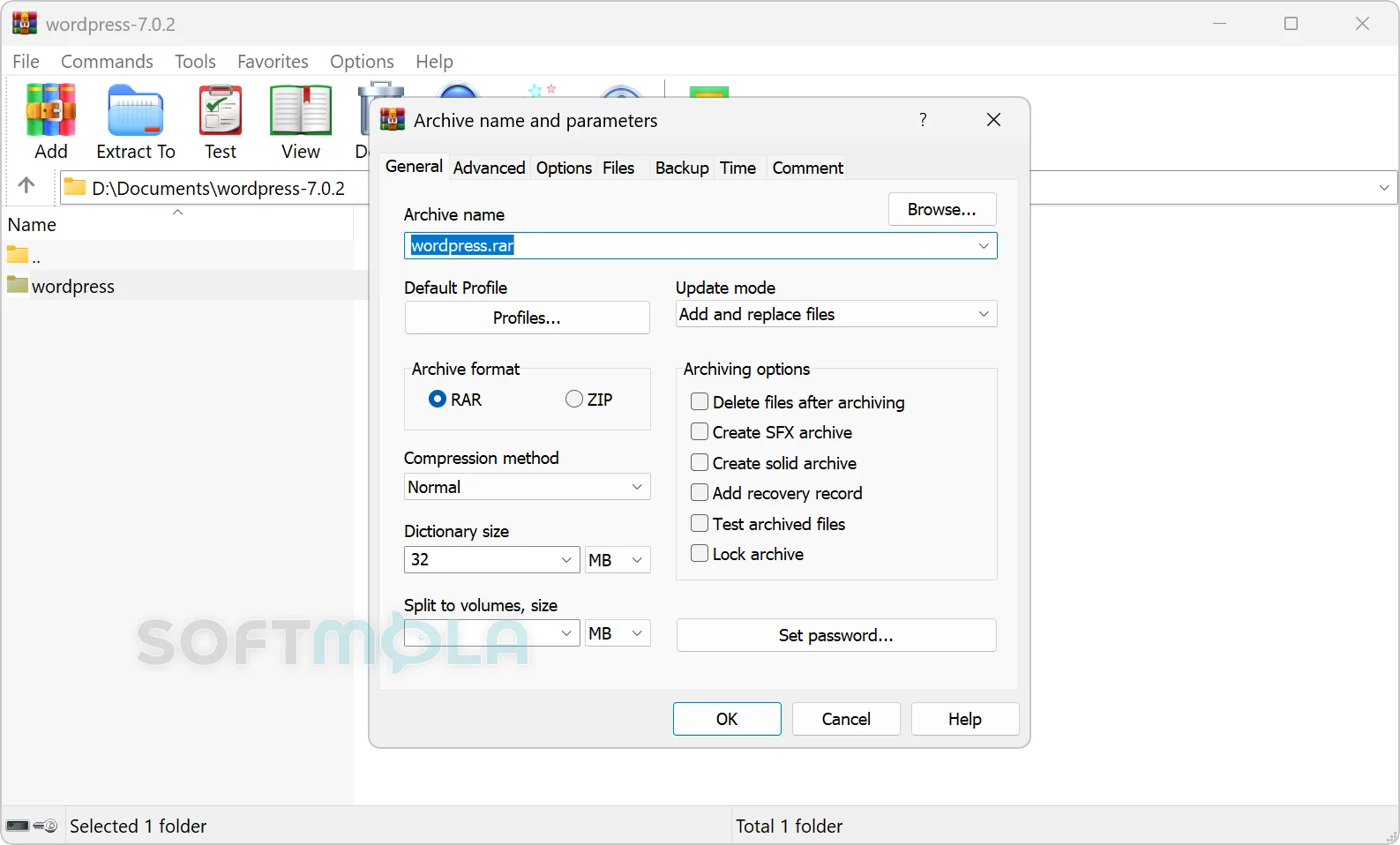
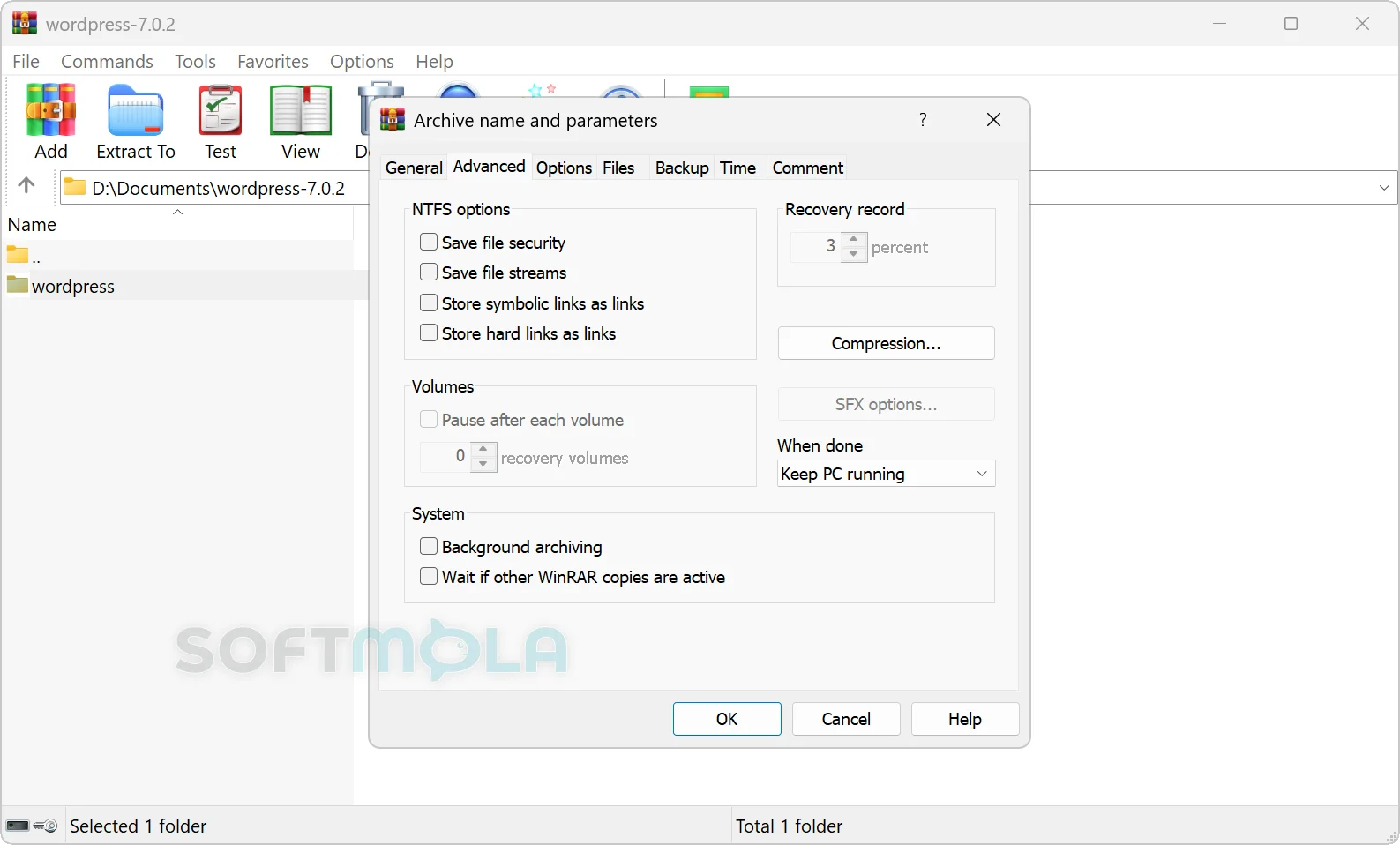
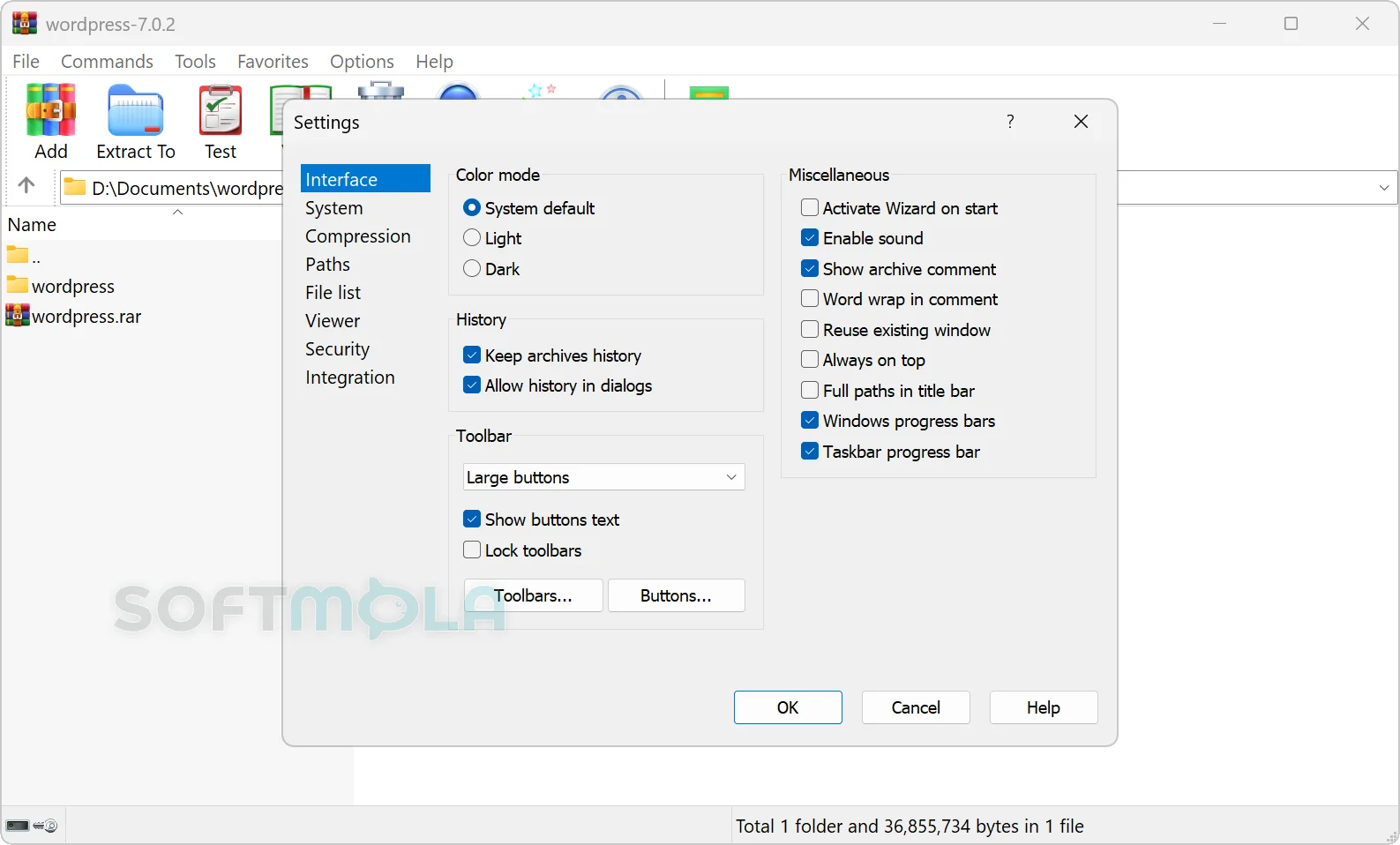
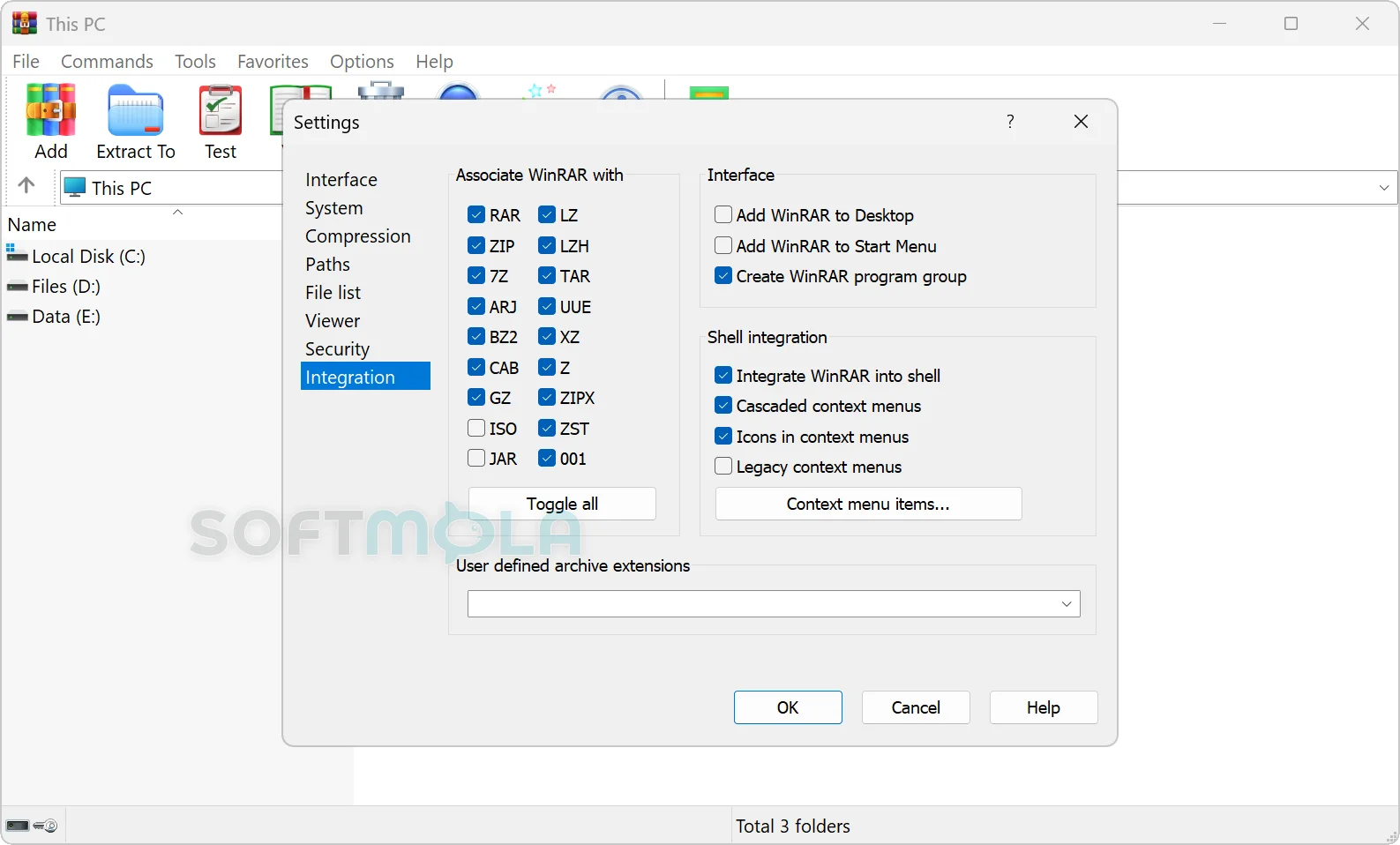
Table of Contents
WinRAR for Windows is a long-established file compression and archive-management utility built around the RAR format while also providing full ZIP support and extraction for formats such as 7Z, TAR, GZ, BZ2, XZ, CAB, ISO, and JAR. It is aimed at anyone who regularly needs to compress files, unpack downloaded archives, protect archives with passwords, or organize large collections of data.
The software remains particularly useful for Windows users who need more control than the archive functions built into the operating system provide. Beyond basic compression and extraction, WinRAR supports encrypted archives, recovery data, split volumes, solid compression, self-extracting archives, Windows Explorer integration, and command-line operation.
WinRAR is commercial software distributed under a try-before-you-buy model. The official license permits a trial period of up to 40 days, after which continued use requires a license. The current WinRAR 7.23 release arrived on June 30, 2026, with security fixes affecting archive extraction and recovery-volume processing, making an up-to-date installation important for anyone who handles archives from external sources.
WinRAR Review
WinRAR has survived decades of changes in Windows largely because its core purpose is still relevant: working with compressed files quickly without hiding advanced controls from users who need them. Windows can handle common archive tasks on its own, but WinRAR goes further when the job involves creating RAR archives, controlling compression settings, splitting large archives, adding recovery information, encrypting data, or processing less common archive formats. RARLAB lists complete RAR and ZIP support alongside extraction support for formats including CAB, ARJ, LZH, TAR, GZ, BZ2, JAR, ISO, 7Z, XZ, and Z.
Its design is more functional than minimalist. The graphical interface exposes file-management and archiving commands directly, while common operations can also be placed in Windows Explorer context menus. There is also a Wizard mode intended to simplify basic compression and extraction, and command-line tools remain available for scripting and automated workflows. This combination gives WinRAR an unusually broad audience: occasional users can rely on a few familiar commands, while administrators and power users can work with detailed archive parameters.
RAR remains the main reason to choose WinRAR over a simpler ZIP utility. The format supports solid archives, multivolume sets, recovery information, encryption, and large compression dictionaries. Modern WinRAR versions can use RAR dictionaries larger than 1 GB, with substantially larger values available when enough memory is present. That can improve compression in particular workloads containing large amounts of similar or repeatedly occurring data, although larger dictionaries also increase memory requirements and are unnecessary for everyday documents.
WinRAR also has practical data-protection features, though they should not be confused with malware protection or full disk encryption. RAR archives can use AES-256 encryption, including encrypted archive headers, allowing both file contents and, when configured, file names to be protected by a password. This is useful when sending confidential files or storing archives that should not be casually opened, but the security of a password-protected archive still depends heavily on choosing a strong password and handling it safely.
One of WinRAR's more distinctive capabilities is resilience against damaged archive data. RAR archives can include recovery records, and multivolume sets can use recovery volumes to help reconstruct missing or damaged information. These options are not necessary for every archive, but they can be valuable when files are being stored on unreliable media, moved in many parts, or kept for long periods where some level of corruption risk exists.
Security maintenance deserves attention because archive extraction software processes files that may originate from email, websites, shared drives, and other untrusted sources. WinRAR 7.23 fixed a heap-overflow vulnerability in RAR5 recovery-volume reconstruction and tightened handling of specially crafted symbolic links that could otherwise point outside the intended extraction directory. Its bundled 7Z extraction library was also updated with additional bug and vulnerability fixes. These changes reinforce a simple rule: users should avoid relying on an old WinRAR installation merely because it continues to open archives successfully.
The licensing model is straightforward compared with software that requires an ongoing subscription. WinRAR provides a 40-day evaluation period, and the commercial product is sold under a perpetual-license model rather than as a recurring subscription. The limitation is that WinRAR is not a permanently free utility. Users whose needs stop at opening ordinary ZIP files may find the tools already available in Windows sufficient, while people who want RAR creation, advanced compression control, recovery features, automation, or regular work with many archive formats have a stronger reason to use it.
Compatibility is also relatively broad for a modern Windows desktop utility. Current WinRAR releases are 64-bit software, with RARLAB stating that WinRAR requires Windows 7 x64 or later; Windows 11 is officially supported, including Explorer integration designed for its newer context-menu system. Overall, WinRAR remains relevant not because archive management has become more complicated, but because it continues to provide considerably more control than basic extraction tools while staying focused on a specific job.
Key Features of WinRAR
RAR and ZIP Archive Management
WinRAR can both create and extract RAR and ZIP archives, covering the two formats most closely associated with its everyday workflow. It can also unpack a broader collection of formats including 7Z, TAR, GZ, BZ2, XZ, CAB, ARJ, LZH, ISO, JAR, and Z.
This makes it useful as a general archive manager even when RAR files are not involved. Someone who receives downloads from different sources can inspect and extract many common archive types without keeping a separate application for each format.
RAR Compression and Solid Archives
RAR archives offer more advanced compression controls than a basic ZIP workflow. One of these is solid compression, which processes related files as a continuous data set so repeated information across those files can be used more efficiently. The RAR5 format also supports large compression dictionaries, with modern WinRAR releases allowing dictionary sizes well beyond the limits of older versions.
These options are most useful for large collections of similar files where reducing archive size is more important than maximizing convenience. Solid archives can require more processing when individual files are modified, so the highest compression settings are not automatically the best choice for every task.
AES-256 Archive Encryption
WinRAR supports AES-256 encryption for protected RAR archives. The RAR5 specification also provides encrypted archive headers, which can prevent file names and other archive information from being exposed without the correct password.
For Windows users sharing sensitive documents or keeping private material in an archive, this provides a practical layer of access control without requiring a separate archive-encryption application. It remains important to use a strong, unique password because encryption cannot compensate for weak credentials.
Recovery Records and Archive Repair
RAR archives can contain a recovery record designed to help reconstruct damaged data, while recovery volumes can provide additional reconstruction information for multivolume archives.
These capabilities distinguish WinRAR from simpler compression tools. They are especially relevant when archives are being retained for long periods or transferred through storage and communication systems where losing part of the data would otherwise make an archive unusable.
Split and Multivolume Archives
WinRAR can divide an archive into multiple volumes rather than producing one large file. RAR multivolume archives are identified as a coordinated sequence of archive parts, allowing large data sets to be divided into more manageable pieces.
Splitting can help when files must fit within storage, transfer, or upload limits. WinRAR can also create self-extracting archives, which package extraction functionality into an executable so the recipient does not necessarily need a separate archiver to unpack the contents.
Windows Explorer and Command-Line Integration
WinRAR integrates its most frequently used operations with Windows Explorer, allowing archives to be created or extracted without opening the main application first. Support for the Windows 11 context-menu design was added specifically to accommodate the operating system's newer Explorer behavior.
More advanced users can work through the RAR command-line interface instead. Current releases continue to refine command-line switches and automation options, making WinRAR useful for scheduled jobs, scripts, repeatable backup workflows, and administrative tasks as well as occasional manual compression.
WinRAR remains a practical choice for Windows users who regularly work with RAR files or need encryption, recovery records, split archives, advanced compression settings, and automation in one established desktop utility. Its commercial licensing and relatively traditional interface may be unnecessary for someone who only opens an occasional ZIP file, but its deeper archive controls still give it a clear purpose. With WinRAR 7.23 also addressing recent extraction and recovery-related security issues, using the current release is the sensible approach for anyone who decides its extended archive-management capabilities are worth having.
How to Download and Install WinRAR on Windows
WinRAR is distributed as a conventional Windows installer. The current release is 64-bit software and requires Windows 7 x64 or later. You can use the downloadable version for up to 40 days as an evaluation before a license is required for continued use.
How to Download WinRAR
Select the Download for Windows button on this page.
Continue to the verified WinRAR download source.
Choose the current Windows release in your preferred language if multiple localized versions are presented. The official download page currently lists WinRAR 7.23 for 64-bit Windows.
Save the Windows installer to a folder you can easily locate.
Allow the download to finish before opening the installer.
For security, use the verified installer rather than a repacked or modified copy from an unofficial source. The official download page also publishes SHA-256 hashes that can be used when installer verification is necessary.
How to Install WinRAR
Open the WinRAR installer you downloaded from the verified source. WinRAR's official support documentation describes installation as starting the downloaded package directly.
Review the license information and the installation choices presented by the installer.
Complete the installation and review any available integration or file-association settings. WinRAR can associate itself with archive formats so supported files can be opened directly from Windows Explorer.
Finish the setup and open WinRAR from Windows.
Use the software in evaluation mode during the 40-day trial, or register it with a valid license if you have purchased one. WinRAR's official registration process uses the license key supplied after purchase.
If you are upgrading an existing WinRAR installation, the publisher states that you do not normally need to uninstall the previous version first. The latest release can be installed over the existing copy while preserving settings and configuration; licensed users should keep a backup of their registration key.
WinRAR Pros & Cons
- Strong RAR and ZIP support: WinRAR can create RAR and ZIP archives while also extracting many other common archive formats.
- Advanced archive controls: Features such as solid compression, split archives, encryption, recovery records, and self-extracting archives provide considerably more control than basic Windows archive tools.
- Useful Windows integration: WinRAR can associate itself with supported archive formats and integrates archive commands with Windows Explorer, including support for the Windows 11 context-menu system.
- Suitable for both graphical and automated workflows: The Windows package includes the familiar graphical interface as well as command-line functionality for scripts and repeatable archive operations.
- Long evaluation period: The official license allows users to evaluate WinRAR for up to 40 days before purchasing a license.
- Not permanently free: WinRAR is distributed as try-before-you-buy software, and a license is required to continue using it after the 40-day evaluation period.
- Current releases no longer support 32 - bit Windows: WinRAR now requires Windows 7 x64 or later, so older 32-bit PCs cannot run the current version.
- More functionality than occasional users may need: Someone who only opens standard ZIP archives occasionally may be adequately served by Windows' built-in archive tools rather than a dedicated utility.
Frequently Asked Questions
What is WinRAR?
WinRAR is a Windows archive-management utility for compressing, opening, extracting, and organizing archived files. RAR is its native archive format, and WinRAR can also create ZIP files and extract a range of other formats. The Windows edition includes both a graphical interface and command-line functionality.
Is WinRAR free?
WinRAR is not permanently free. It is distributed as try-before-you-buy software and can be used without charge for an evaluation period of up to 40 days. According to the official license agreement, users who want to continue using the software after that period must purchase a license.
What happens after the WinRAR 40-day trial?
Continued use requires a valid license once the 40-day evaluation period has ended. WinRAR describes its licenses as perpetual rather than subscription-only licenses, although its current licensing information separately addresses Support & Maintenance for access to updates and upgrades.
Does WinRAR work on Windows 11?
Yes. Current WinRAR releases support 64-bit Windows versions from Windows 7 onward, which includes Windows 11. WinRAR also has specific integration for the context-menu system introduced with Windows 11.
Which archive formats can WinRAR open?
WinRAR provides full RAR and ZIP functionality and can extract numerous additional archive formats. Official documentation lists formats including CAB, ARJ, LZH, TAR, GZ, BZ2, XZ, JAR, 7Z, Z, and ISO among its supported archive types.