

HiBit Uninstaller for Windows
A free Windows uninstaller for removing stubborn programs, cleaning leftover files and registry entries, and managing installed apps with optional portable use.
Software Information
HiBit Uninstaller Screenshots
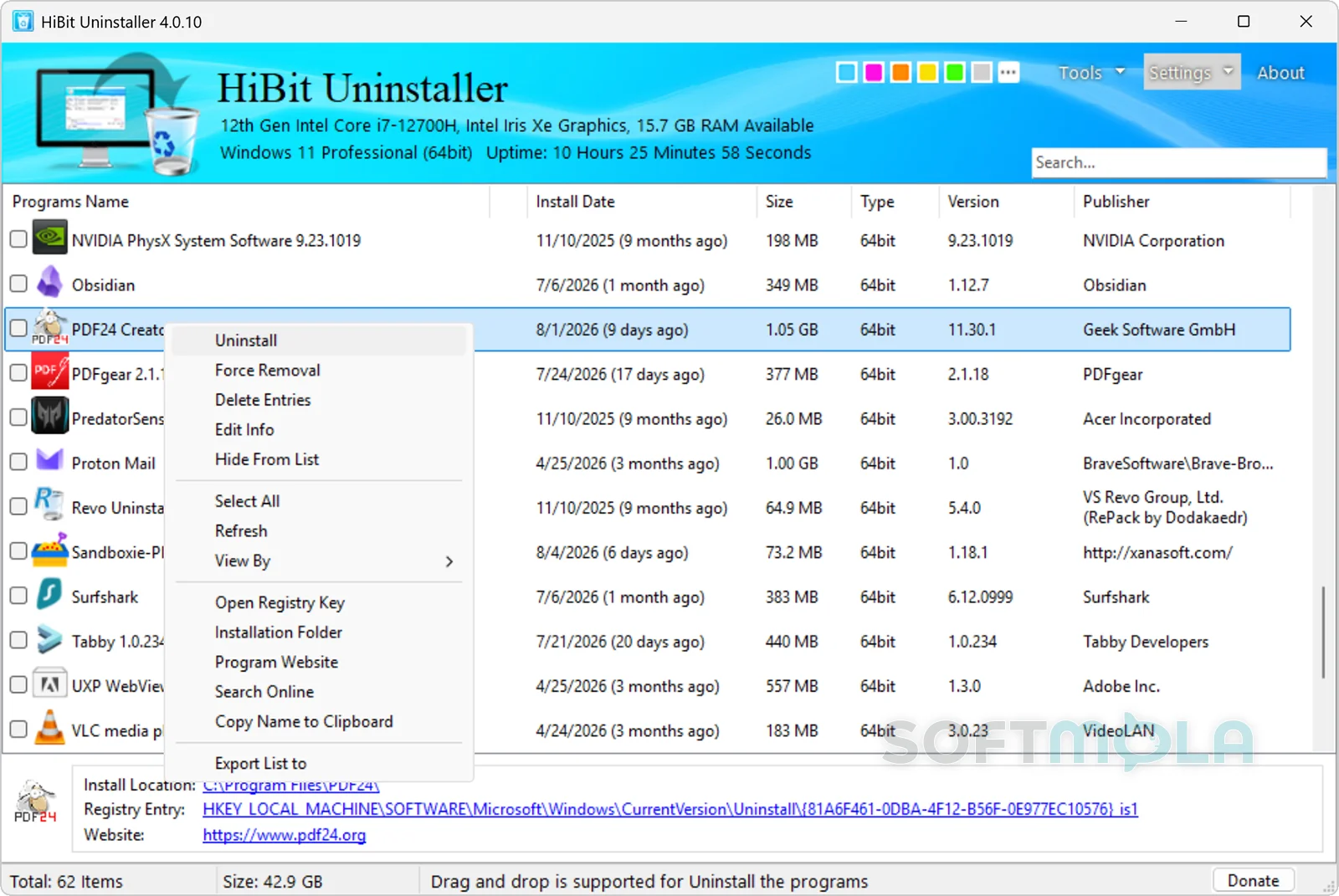
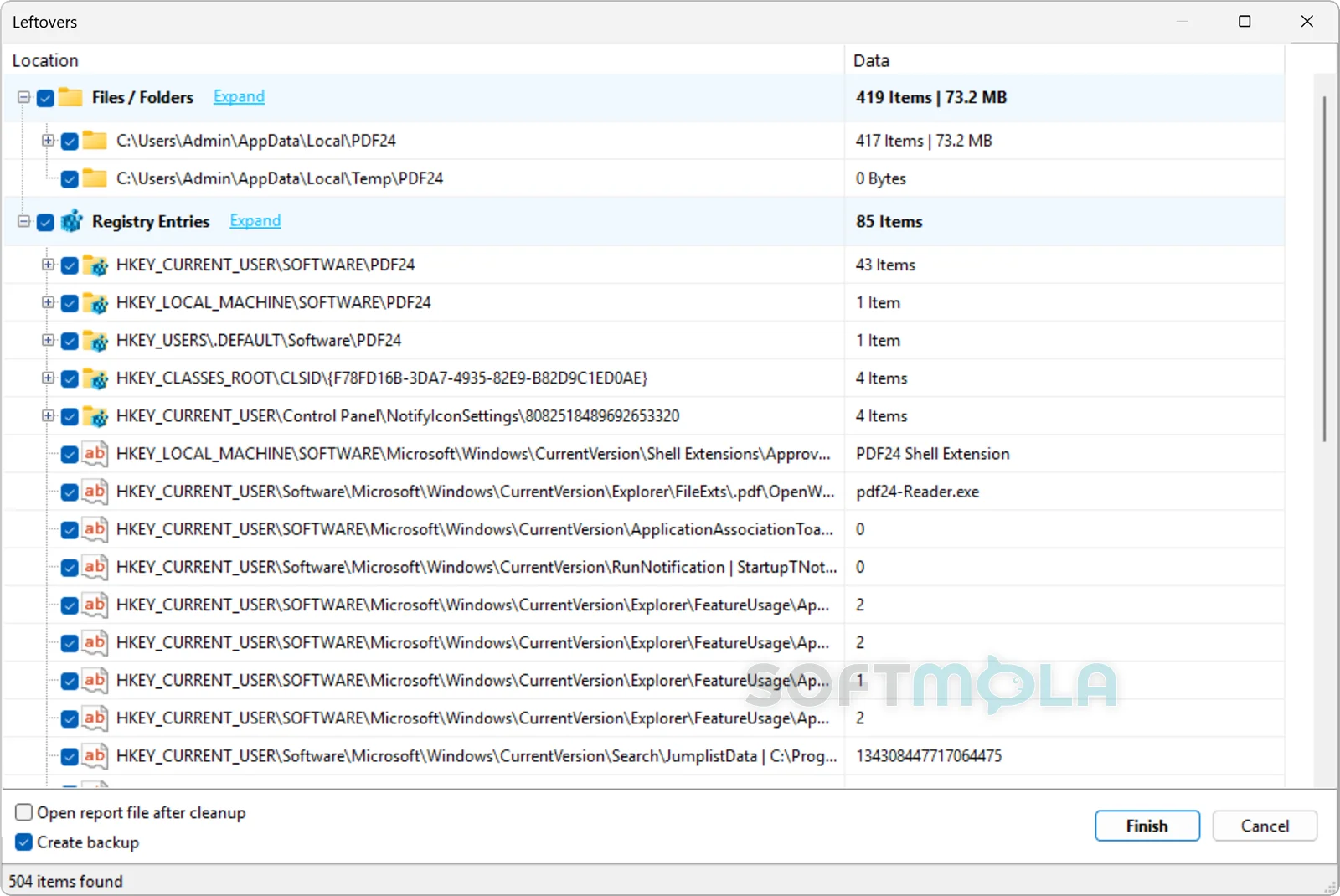
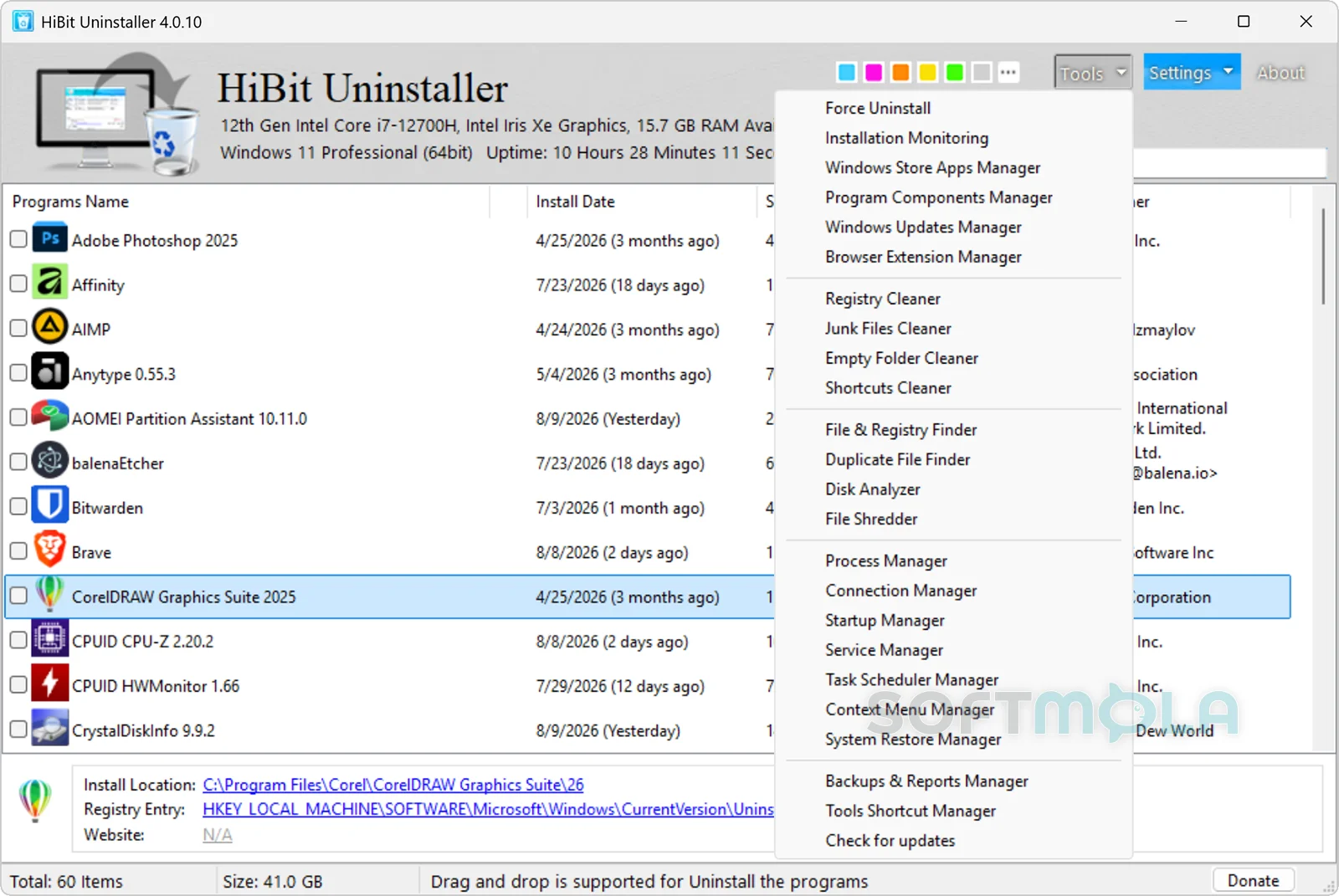
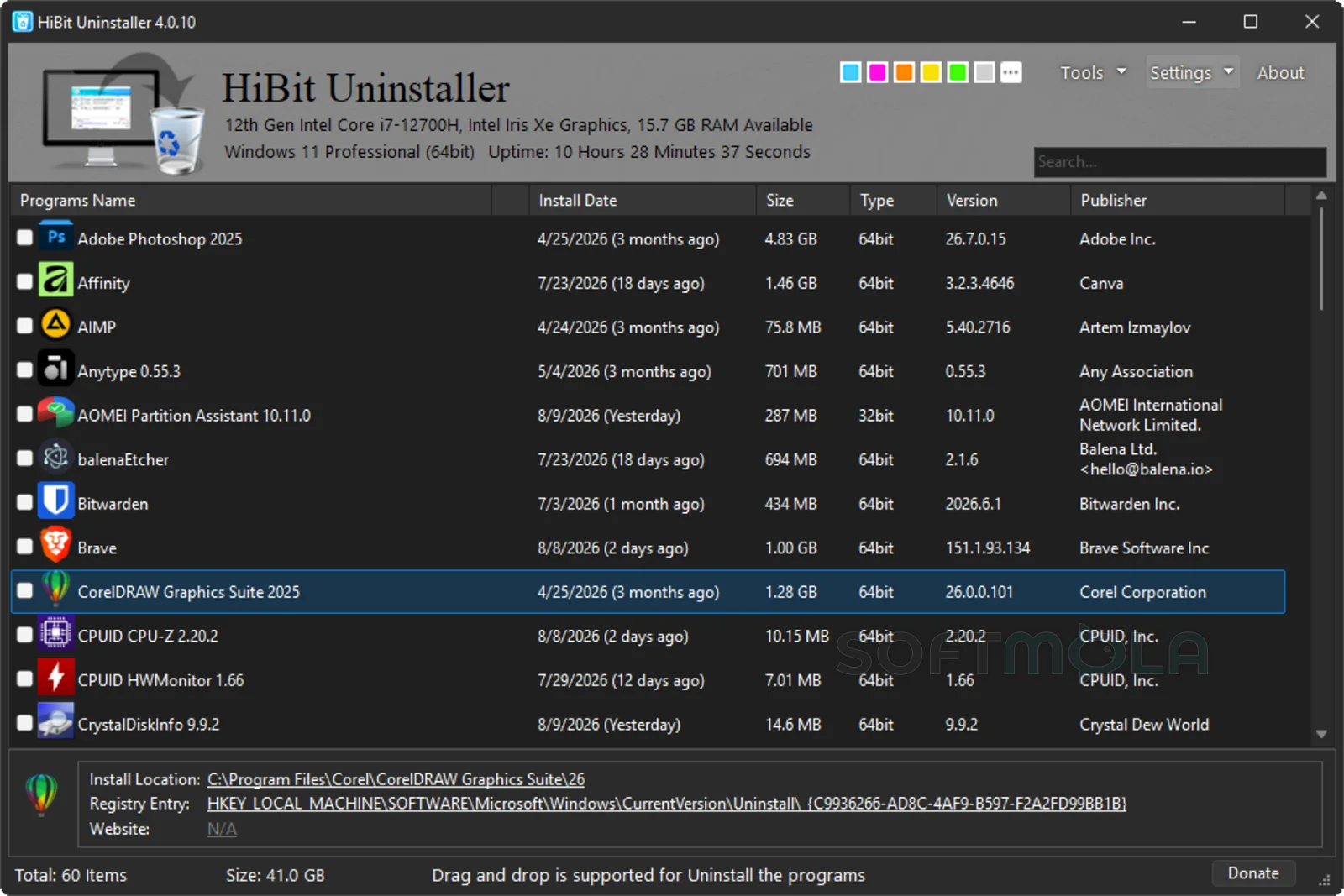
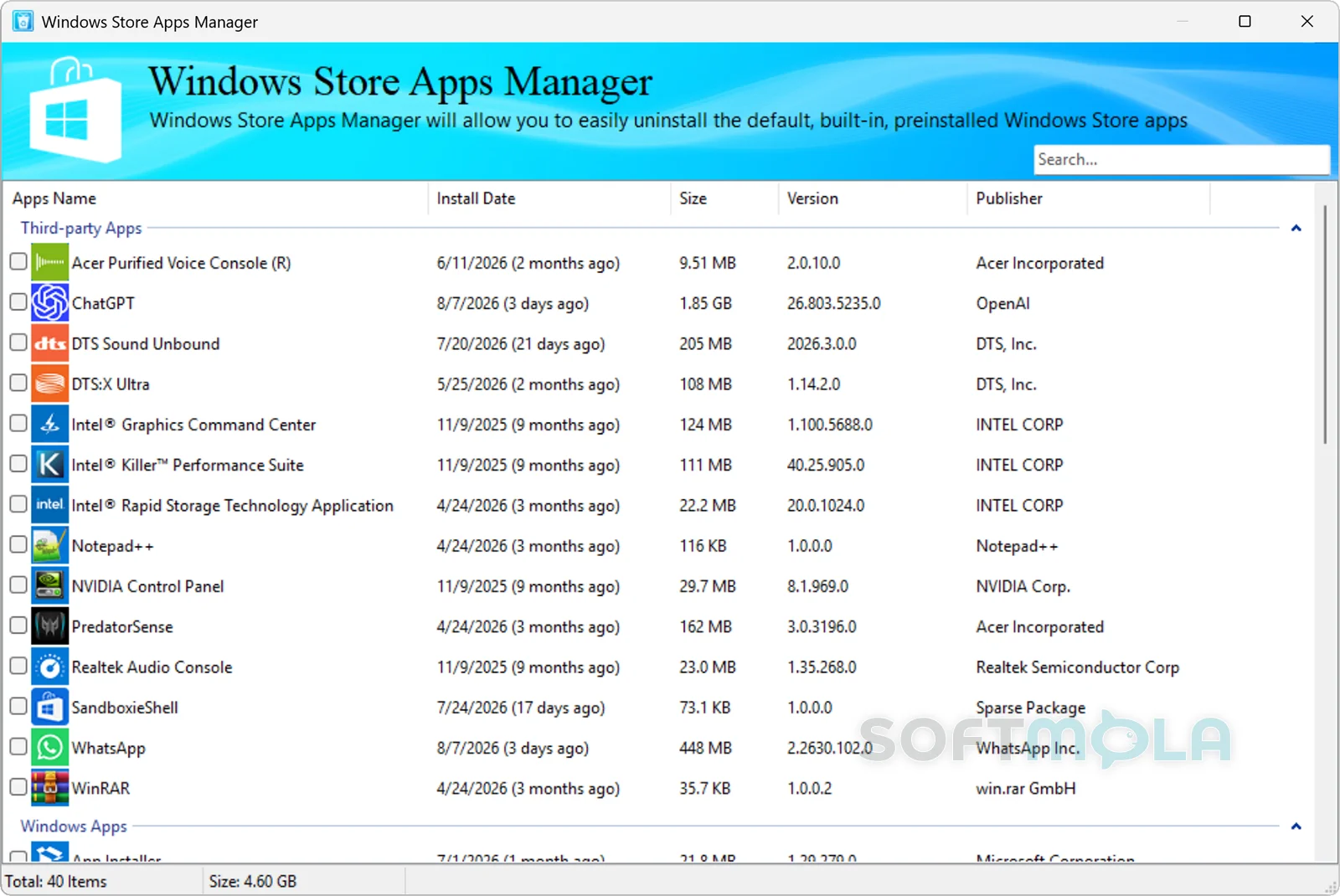
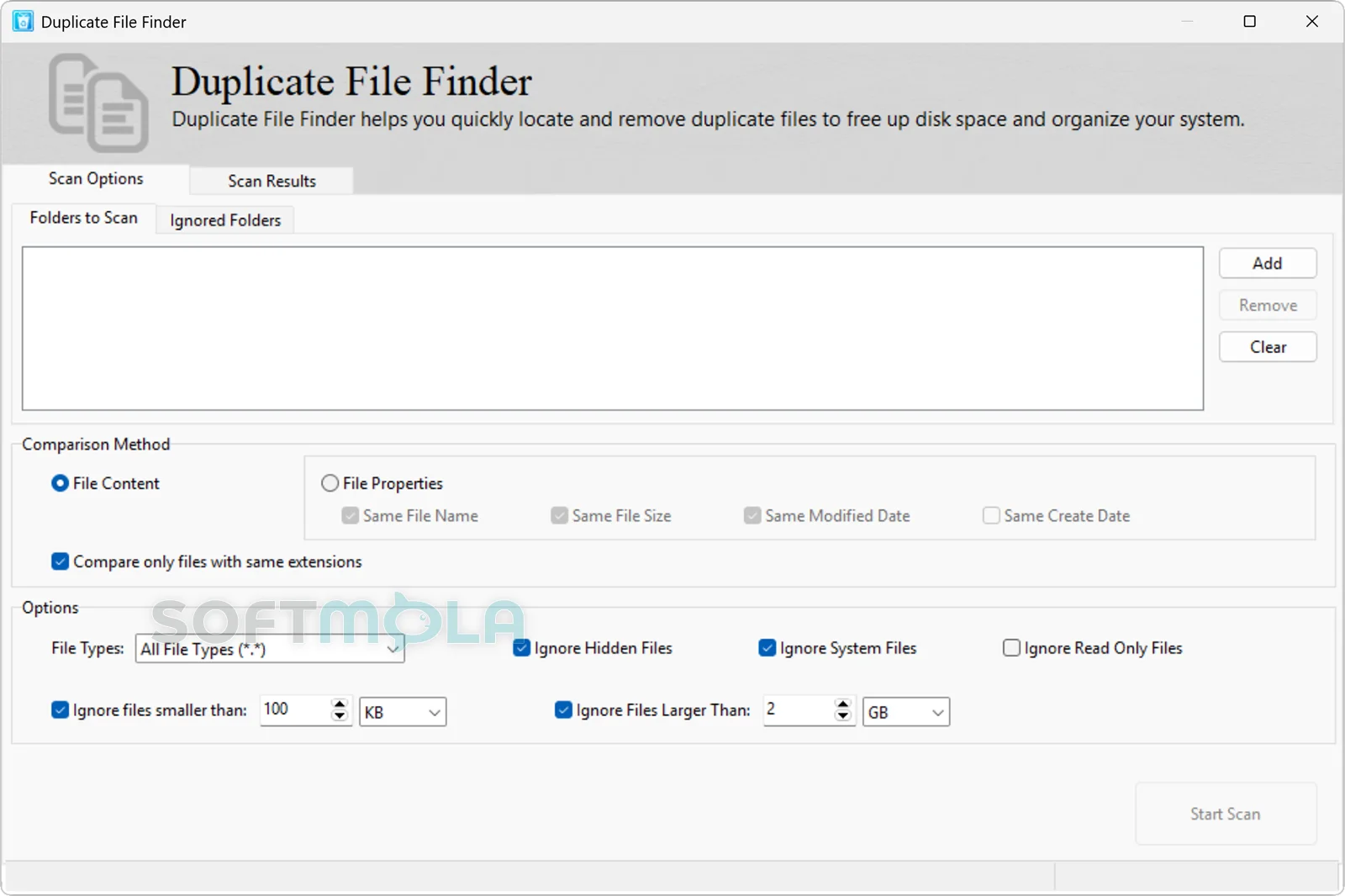
Table of Contents
HiBit Uninstaller for Windows is a free software-removal and PC maintenance utility designed to go beyond the standard Windows uninstall process. It can remove conventional desktop programs, search for files and registry entries left behind after removal, handle stubborn applications, and manage Microsoft Store apps and browser extensions. HiBitSoft currently offers both installable and portable editions for Windows Vista through Windows 11.
The program is particularly useful for people who regularly install and remove software, troubleshoot problematic PCs, or want more control over application cleanup than Windows provides by itself. Its scope has also grown considerably: alongside the core uninstaller, the current release includes tools for startup management, junk-file cleanup, system restore management, process inspection, file shredding, disk analysis, and other maintenance tasks.
HiBit Uninstaller remains actively maintained. Version 4.0.10 was released on February 10, 2026, adding several new utilities while improving installation monitoring, Store app management, junk-file cleaning, and the program's leftover-search system.
HiBit Uninstaller Review
HiBit Uninstaller is primarily an alternative interface and cleanup layer for removing Windows software. For a normal application, it can start the program's regular uninstall procedure and then search the system for files, folders, and registry entries that the original uninstaller may have left behind. That two-stage approach is useful because it preserves the application's intended removal process before offering additional cleanup rather than immediately trying to delete everything associated with the program.
The interface focuses on a list of installed programs, with search and contextual actions that make it relatively easy to find an application and decide how to handle it. Available actions extend beyond ordinary removal: users can inspect installation information, access relevant locations, and invoke more aggressive removal functions when the standard uninstaller is missing or no longer works. Softpedia's evaluation describes the application as an intuitive and thorough uninstaller, while SnapFiles likewise presents it as an alternative to Windows' built-in program-removal tools.
Its most significant advantage is the depth available after a program has been removed. Leftover scanning can be helpful when an application leaves configuration files or registry data behind, particularly before reinstalling troublesome software or when cleaning a machine that has accumulated many old utilities. HiBitSoft has continued refining this part of the product; recent release notes repeatedly mention improvements to the leftover-search algorithm, and version 4.0.10 introduced a tree view for examining the resulting items.
That additional control also requires some judgment. Files and registry entries identified after an uninstall should not automatically be treated as harmful or unnecessary. Shared components and configuration data can sometimes be used by other applications. HiBit has included backup capabilities for files and registry data associated with cleanup operations, which makes careful review preferable to indiscriminate deletion.
For broken installations, Force Uninstall is one of the more practical reasons to keep HiBit available. The feature is intended for software that cannot be removed through its normal uninstaller, while batch removal addresses a different problem: clearing several unwanted programs without starting an entirely separate workflow for every entry. Installation Monitoring can provide additional context by tracking software installations, and HiBitSoft says its performance was improved again in the February 2026 release.
The program's secondary utilities make the package unusually broad for a free uninstaller. It includes tools for startup items, running processes, services, system restore points, junk files, broken shortcuts, empty folders, browser extensions, and sensitive-file shredding. Version 4.0.10 expanded the collection further with a File & Registry Finder, Duplicate File Finder, Disk Analyzer, and Connection Manager. These additions can reduce the need to keep several small maintenance programs installed, although users who only want straightforward application removal may find much of the extra toolkit unnecessary.
Some of the maintenance options also deserve a conservative approach. A registry-cleaning function, for example, should not be viewed as a requirement for keeping a modern Windows PC healthy simply because it is available. HiBit Uninstaller is most convincing when used for its core strengths—software removal, leftover inspection, installation tracking, and management of related Windows components—rather than as an excuse to perform aggressive system cleaning without a specific reason.
The distribution model is another strength. HiBitSoft currently provides the program as a free download and offers both conventional installation and portable packages. The portable option is especially convenient for technicians, advanced users, or anyone who wants to keep an uninstaller on removable storage without permanently installing another maintenance application. The developer added a voluntary donation feature in version 4.0.10, while third-party software catalogs continue to classify the product as freeware.
Overall, HiBit Uninstaller remains relevant because its core problem has not disappeared: Windows can remove most applications successfully, but broken uninstallers, residual data, Store apps, extensions, and accumulated software still create situations where more detailed control is useful. The recent 2026 update also indicates continued development rather than an abandoned utility. Users who prefer to leave software management entirely to Windows may not need it, but people who routinely maintain PCs can find considerably more flexibility here.
Key Features of HiBit Uninstaller
Leftover File and Registry Scanning
After a conventional uninstall, HiBit Uninstaller can search for related files, folders, and registry entries that remain on the PC. This is the feature that most clearly distinguishes it from simply opening Windows Settings and removing an application there.
The current release also provides a tree-style view for leftover results, making the relationship between detected items easier to inspect. Because cleanup can involve system locations and the registry, reviewing those findings before deletion is a better approach than assuming every detected item must be removed.
Force Uninstall
Force Uninstall is designed for applications whose normal removal mechanism is damaged, missing, or otherwise unusable. Instead of relying solely on the vendor's uninstaller, HiBit can search for associated traces and provide another route for cleaning up a problematic installation.
This feature is most valuable as a fallback rather than the default method for every program. When an application's own uninstaller still functions correctly, allowing it to perform its intended cleanup first generally provides a more controlled starting point.
Batch Program Removal
HiBit Uninstaller can select and remove multiple programs as part of the same cleanup session. This is useful on PCs that have accumulated trial software, outdated utilities, or applications that are no longer needed.
Batch functionality does not remove the need to review what is being deleted, especially when leftover scans are involved, but it can make large software-cleanup jobs more manageable than processing each application independently.
Installation Monitoring
Installation Monitoring records changes associated with software installations so that the program has more information available when the software is eventually removed. HiBitSoft has maintained this feature for several years and specifically improved its performance in version 4.0.10.
It is particularly relevant for users who frequently test utilities or applications and expect to uninstall them later. Monitoring from the beginning of an installation can provide a clearer picture of what changed than relying only on a scan performed after removal.
Microsoft Store Apps and Browser Extensions
HiBit Uninstaller is not limited to traditional Win32 desktop software. Its feature set includes management of Windows Store apps as well as browser extensions, giving users another place to review software components that may not appear alongside conventional desktop applications in the same way.
The Windows Store Apps Manager has continued to receive attention from the developer, with performance improvements included in the February 2026 release. This broader application coverage makes HiBit more useful on Windows 10 and Windows 11 systems where desktop programs and packaged apps commonly coexist.
Startup and System Management Tools
Beyond uninstalling software, HiBit includes utilities for managing applications and services that start with Windows, inspecting processes, managing system restore points, cleaning junk files, identifying empty folders, fixing invalid shortcuts, and shredding files.
These features turn the application into a small maintenance toolkit rather than a single-purpose uninstaller. They can be convenient when troubleshooting a cluttered PC, although users should treat system-level changes—particularly registry, service, and startup modifications—with the same care they would use in Windows' own administrative tools.
File, Disk, and Connection Utilities
Version 4.0.10 significantly broadened the toolkit with a File & Registry Finder, Duplicate File Finder, Disk Analyzer, and Connection Manager. The same update redesigned the Process Manager and improved the accuracy and speed of the Junk Files Cleaner.
These additions are not essential to uninstalling applications, but they can be useful when investigating where storage is being consumed, locating specific system entries, or performing general maintenance from one interface. Their inclusion also shows that HiBit Uninstaller is still receiving substantial feature development rather than only minor compatibility updates.
Portable Edition
Alongside the standard installer, HiBitSoft provides a portable edition that can be run without a conventional Windows installation process. The publisher currently lists both editions for Windows Vista, 7, 8, 10, and 11 in 32-bit and 64-bit environments.
A portable copy makes particular sense for troubleshooting and occasional maintenance because the utility can be kept in a folder or on removable storage and opened when required. Users who rely on HiBit regularly on one PC may prefer the normal installed edition for easier everyday access.
HiBit Uninstaller is a strong fit for Windows users who want more control over software removal without moving to a paid maintenance suite. Its combination of ordinary uninstall workflows, leftover inspection, Force Uninstall, installation monitoring, portable availability, and a growing set of system tools gives it considerably more range than Windows' basic removal interface. The extra cleanup features are best used selectively rather than automatically, but for troubleshooting stubborn applications or maintaining PCs that see frequent software changes, HiBit Uninstaller remains a capable and actively developed free utility.
How to Download and Install HiBit Uninstaller on Windows
HiBitSoft currently distributes HiBit Uninstaller directly in two formats: an installable Windows edition and a portable edition. Choose the normal installer if you want the application set up as conventional desktop software, or use the portable package if you prefer to run it without a traditional installation.
How to Download HiBit Uninstaller
Select the Download for Windows button on this page.
Continue to the verified HiBit Uninstaller download source.
Choose the installable edition if you want to set up the program normally on Windows. The official current package is distributed as an EXE setup file.
Save the setup file in an accessible location such as your Downloads folder.
Wait until the file has finished downloading before opening it.
How to Install HiBit Uninstaller
Open the HiBit Uninstaller setup file you downloaded.
If Windows displays a User Account Control request, review it before allowing the installer to make changes.
Review the setup information and available installation choices presented by the installer.
Complete the installation using the options appropriate for your PC.
Open HiBit Uninstaller after setup is complete.
HiBit Uninstaller includes system-level maintenance functions, so use the official distribution package and review leftover, registry, startup, and similar cleanup results before applying changes.
How to Download and Run HiBit Uninstaller Portable
The portable edition provides an alternative for users who do not want a conventional installation. HiBitSoft currently distributes this version as an official ZIP package.
Select the download option and continue to the verified source.
Choose the portable edition instead of the installable package.
Save the ZIP file to a suitable folder.
Extract the contents of the archive.
Keep the extracted application files together in a permanent folder if you plan to use the portable edition regularly.
Open the HiBit Uninstaller executable from the extracted folder.
HiBit Uninstaller Pros & Cons
- Thorough leftover scanning: HiBit Uninstaller can search for files, folders, and registry entries that remain after a program's standard uninstall process.
- Force Uninstall for stubborn software: A dedicated removal option helps deal with programs that cannot be removed normally.
- Batch application removal: Multiple programs can be selected for removal, which is useful when cleaning up a PC with many unwanted applications.
- Installer and portable editions: Users can choose a conventional Windows setup package or an official portable ZIP package.
- Broad maintenance toolkit: Startup management, junk cleaning, system restore management, file shredding, disk analysis, duplicate-file finding, and other utilities extend its usefulness beyond uninstalling programs.
- Still actively maintained: Version 4.0.10 was released on February 10, 2026, with new tools and improvements to installation monitoring, Store app management, leftover scanning, and junk-file cleaning.
- Some cleanup tools require careful judgment: Removing registry entries or leftover files without reviewing them can be unnecessary and may affect data shared with other applications.
- More features than some users need: People who only want a basic replacement for Windows' uninstall interface may find the additional maintenance utilities excessive.
- No macOS or Linux edition: The official product page lists Windows Vista, 7, 8, 10, and 11 only.
- Not a security replacement: HiBit Uninstaller is a software-removal and maintenance utility rather than antivirus or real-time malware protection software.
Frequently Asked Questions
What is HiBit Uninstaller?
HiBit Uninstaller is a Windows utility for removing installed software and cleaning up associated leftovers. It can also force-remove stubborn programs, uninstall multiple applications, manage Microsoft Store apps and browser extensions, and provide additional maintenance tools for startup items, junk files, processes, restore points, and other parts of Windows.
Is HiBit Uninstaller free?
Yes. The current HiBit Uninstaller 4.0.10 release is classified as freeware and donationware by Softpedia, while HiBitSoft provides direct downloads of both its installable and portable editions. The February 2026 release also added a voluntary donation feature, rather than introducing a required paid subscription.
Does HiBit Uninstaller work on Windows 11?
Yes. HiBitSoft officially lists Windows 11 among the supported operating systems for HiBit Uninstaller 4.0.10. The same product page also lists Windows 10, 8, 7, and Vista and indicates support for both 32-bit and 64-bit Windows environments.
Is a portable version of HiBit Uninstaller available?
Yes. HiBitSoft offers a portable edition alongside the standard installable version. The current official portable package is distributed as a ZIP archive, so it can be extracted and run without going through the conventional setup process used by the installer edition.
Can HiBit Uninstaller remove Microsoft Store apps?
Yes. Microsoft Store app removal is part of HiBit Uninstaller's feature set. HiBitSoft also improved the performance of its Windows Store Apps Manager in version 4.0.10, making Store app management an actively maintained part of the program rather than a legacy feature.
Can HiBit Uninstaller replace an antivirus?
No. HiBit Uninstaller is not designed to provide continuous malware detection, phishing protection, ransomware defense, or other real-time antivirus functions. Its main purpose is removing software and managing related Windows maintenance tasks. Keep an appropriate Windows security solution enabled separately.
Is HiBit Uninstaller safe to download?
The safest approach is to obtain HiBit Uninstaller through HiBitSoft's official distribution channel rather than an unknown mirror or modified installer. No software download should be treated as absolutely risk-free, and system-maintenance functions such as registry or leftover cleanup should be reviewed carefully before changes are applied. The official site currently provides both installable and portable packages for version 4.0.10.
What is the difference between the installable and portable editions?
The installable edition uses a conventional Windows setup executable, while the portable release is distributed as a ZIP package that can be extracted and run without a traditional installation. The portable version is convenient for occasional troubleshooting or use from a removable drive, while the installed edition is better suited to regular access on one PC.